Vendor Payouts Automation
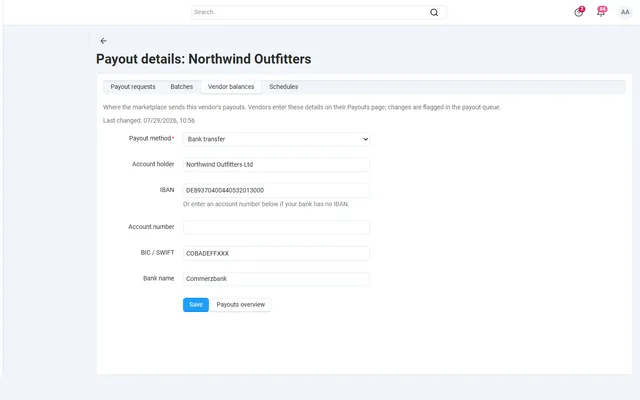
Payout schedules, hold periods, approval batches and SEPA or PayPal payout files, on top of core vendor accounting.
Platforms
 CS-CartAdd-ons and themes for CS-Cart and Multi-Vendor
 OpenCartExtensions and themes for OpenCart 4 and 3
 WooCommercePlugins and themes for WooCommerce
 PrestaShopModules and themes for PrestaShop 8.2 and 9
 ShopifyApps with a free plan
Stores
CS-Cart guide · Product Personalizer
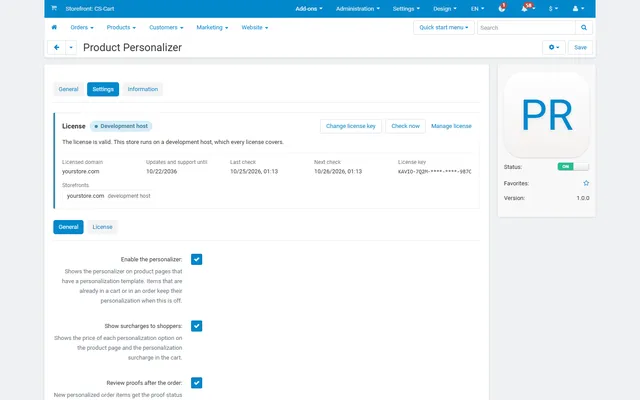
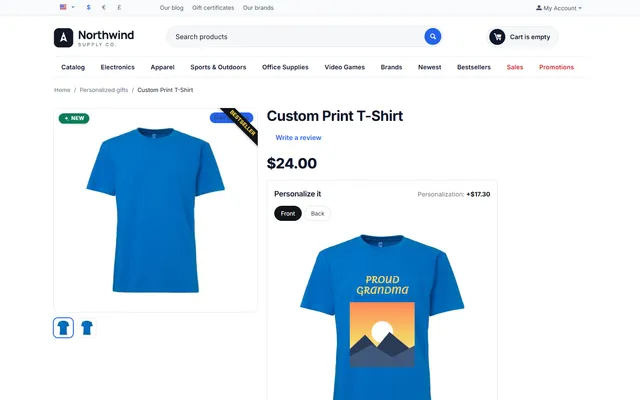
Templates with text, photo and choice fields, print areas on the product image, six licensed fonts and colour palettes. Shoppers see a live preview, you approve a server-rendered proof and print a production sheet.
The problem
Engraving, embroidery, print on demand, gifts and team wear need the customer’s input checked and priced before payment, and shown to production exactly as ordered.
CS-Cart only has a text option and a file field: no preview, no limits per line, no surcharge per character and nothing production can print from.
Product Personalizer
Draw print areas on the product image and add text fields with fonts and colours, photo uploads and choices.
Use the template for products, categories or all products of a vendor.
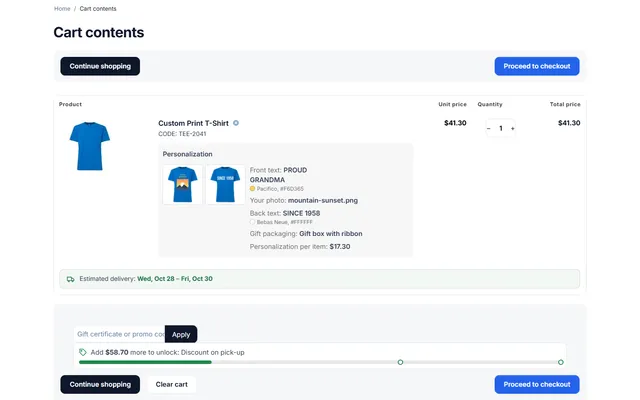
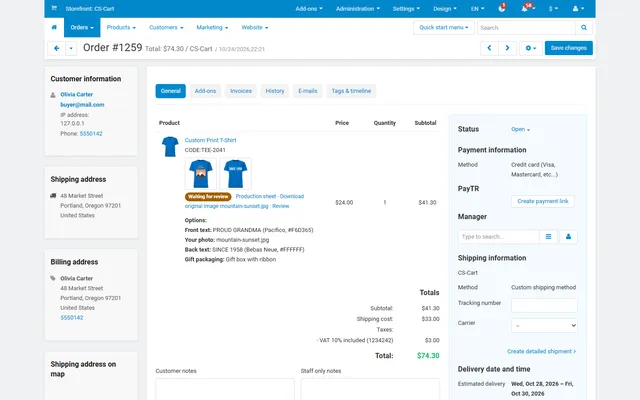
Shoppers see the preview; a proof is rendered on the server in the cart. In the order you approve it or ask for changes, download the files and print a production sheet.
Length, lines, allowed characters, fonts and colours.
Checked and re-encoded on the server; no SVG.
Drawn on the product image, with rotation.
Per character, image, option or formula.
Approve or request changes with a customer e-mail; proofs in cart, orders and e-mails.
Private file storage, cleanup, anonymization and full page cache support.
Product Personalizer
Engraving, embroidery, print on demand, gifts and team wear all need the same thing: the customer’s input, checked and priced before payment, then shown to production exactly as ordered. CS-Cart gives you a text option and a file field. Those collect data, but they do not show the shopper what they are buying, limit the text to what fits, or give the workshop a usable sheet.
The result is the familiar back-and-forth: a name that is too long for the plate, a photo at 200 pixels, and an e-mail asking "is this what you meant?" Product Personalizer adds templates with print areas on the product image, a live preview and a proof that goes through to production.
On phones the preview sits above the fields, and the personalizer works with the keyboard and screen readers.
A template has three parts. Assignment decides where it applies: a product, a category or, on Multi-Vendor, All my products for a vendor. The product’s own setting wins, then the nearest category, then the vendor template.
Views are images of the product: the main image, an additional image or an uploaded mock-up. On each view you draw print areas, with position and size stored as percentages so they fit every image size, and rotation for slanted surfaces.
Fields are what the shopper fills in:
| Field | What you control |
|---|---|
| Text | Maximum and minimum characters, lines, allowed characters, capitals only, fonts offered, colour palette |
| Image | JPG, PNG or WebP, maximum size, minimum and maximum pixels, fit or fill the area |
| Choice | Options with a surcharge, as a drop-down or radio buttons |
Six fonts ship with the add-on: Poppins, DM Serif Display, Bebas Neue, Alex Brush, Pacifico and Courier Prime, under the SIL Open Font License 1.1, so commercial use is fine. The same files drive the preview and the proof.
Surcharges are calculated on the server. Changing one updates items in open carts, while placed orders keep their prices.
Uploads that never reach an order are deleted after 30 days by default, with a cron job for cleanup. A shopper coming back later is asked to personalize again. Ordered items keep their own copies until the order is deleted. Customers can download only their own files, and files are kept in private storage.
| Core text and file option | Price formulas add-on | Personalizer | |
|---|---|---|---|
| Live preview on the product | No | No | Yes |
| Text limits per print area | Basic | Number limits | Characters, lines, fitted to the area |
| Price by input | Fixed modifier | Yes, formulas | Yes, and formulas with that add-on |
| Proof and approval workflow | No | No | Yes |
| Production sheet | No | No | Yes |
If you only need a short gift message, a core text option or Gift Wrap & Gift Messages is enough. Choose the personalizer when what the shopper types ends up on the product. Get Product Personalizer on the store.
CS-Cart and Multi-Vendor 4.17.2 to 4.21.x, PHP 7.2.5 to 8.3 with the GD extension, and a theme based on Responsive, Bright or Nova. Full page cache is supported. Core options stay as they are and appear above the personalizer, and each variation can have its own template or inherit one. On Multi-Vendor, vendors manage templates, proofs and production sheets for their own products only.
CS-Cart
Text, fonts, colours and photos on your products, with a live preview, server-rendered proofs and surcharges.
CS-Cart
The most requested products on this platform. Each one has its own page, and you can buy it straight on the sales site.
Payout schedules, hold periods, approval batches and SEPA or PayPal payout files, on top of core vendor accounting.
Commission by vendor, category, product, price or monthly sales on top of your vendor plans, with a simulator.
Decimal quantities with a unit, step, presets and price per kg or metre, with exact stock down to 0.001.
A Make an offer button with counter-offers, deadlines and a single-use agreed price; vendors answer their own offers.
XRechnung, Factur-X/ZUGFeRD and Peppol BIS 3.0 e-invoices and credit notes from every order.
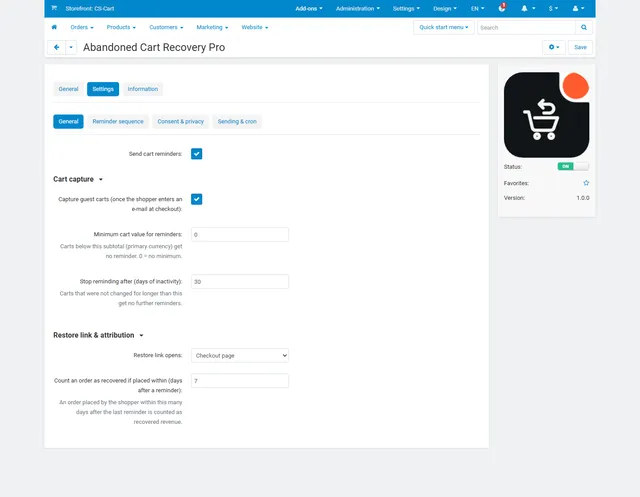
Up to three reminders, single-use coupons, one-click cart restore and recovered revenue per reminder.
Prices, licences, full documentation and instant downloads are on the store.
cs-cart.kaviolabs.com · 98 add-ons · 29 themes
Product personalizer
Built natively for each platform, not ported. Each version has its own product page, documentation and price.
Names, dates and monograms previewed on the product photo, with fees, a word filter and a production sheet.
WooCommerce
Names, dates and monograms previewed on the product image, with server-checked fees and the block checkout.
PrestaShop
Names, dates and initials previewed on the product image, with fees checked on the server and a production sheet.
Engraving previewed on the product photo, monogram styles, an add-on price at checkout and a production sheet.
FAQ
Yes. Vendors manage their own templates and can assign them to all their products.
Yes. A live preview on the product page, and an exact proof rendered on the server once the item is in the cart.
They are checked and re-encoded on the server, SVG is refused, and files are kept in private storage.
With surcharges per character, per image, per option or by formula.
No. Add to cart checks every field again on the server, and surcharges are calculated there. Nothing is added until the input is valid.
JPG, PNG and WebP, within the size and pixel limits of the field. SVG is not allowed, and uploads are checked and re-encoded on the server.
Version 1.0 offers six bundled fonts under the SIL Open Font License 1.1. You choose per text field which of them shoppers can pick.
It uses the same font files and fitting rules as the server, though line breaks can differ slightly between browsers. Show exact proof and the cart proof are rendered by the server and are what goes onto the production sheet.
Images and proofs that are not part of an order are deleted after the period you set, 30 days by default. Ordered items keep their own copies until the order is deleted.
The product page has the full documentation, screenshots and the changelog.
Kavio Labs
The same standards, the same support desk and one licence portal on every platform we build for.