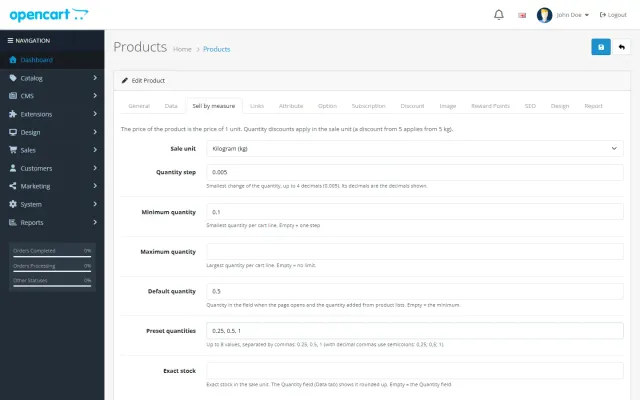
Sell by Weight & Length
Decimal quantities in 15 units, preset buttons, a live line total and exact decimal stock, on OpenCart 4 and 3.
Platforms
 CS-CartAdd-ons and themes for CS-Cart and Multi-Vendor
 OpenCartExtensions and themes for OpenCart 4 and 3
 WooCommercePlugins and themes for WooCommerce
 PrestaShopModules and themes for PrestaShop 8.2 and 9
 ShopifyApps with a free plan
Stores
OpenCart guide · Product Personalizer
Customers type a name, a date or their initials, pick a font and a position and see the text on the product photo while they type. The fee is shown before they add the item, every value is checked on the server, and the personalization travels to the order, the invoice and a production sheet.
The problem
OpenCart can add a text option to a product, but the customer cannot see the result, there is no limit per line or font choice, and charging per character is not possible.
The workshop then reads engraving texts in order comments, with typos and impossible lengths, and orders wait while you write to the customer.
Product Personalizer for OpenCart
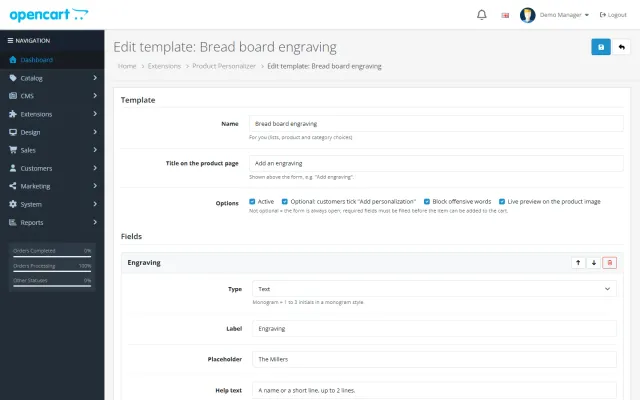
Up to 6 text or monogram fields with 1 to 4 lines, character limits, allowed characters, fonts, positions and the fee. Use it for a product or a category.
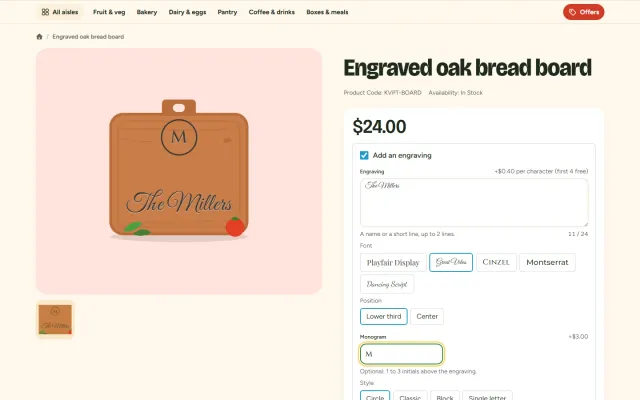
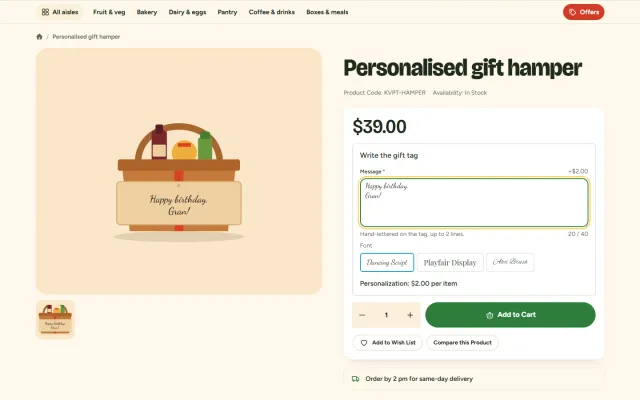
They type, choose a font and a position and see the text on the main product image in an engraved, gold, silver or ink finish.
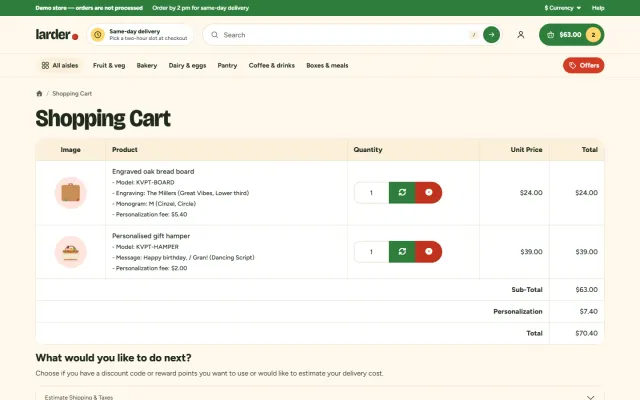
The personalization shows wherever OpenCart shows options: cart, checkout, e-mails, order page, invoice and shipping list. The production sheet under Sales lists every open job.
Monograms in Classic (first, LAST, middle), Block, Circle or single-letter style.
8 bundled fonts under the SIL Open Font License, loaded only when used, plus 4 system fonts.
Free, a fixed fee per item or a price per character with free characters; taxed with the product, never discounted.
A built-in English list plus your own words, catching look-alikes, repeated letters and spaced-out letters.
Open orders with every detail (text, monogram as engraved and as typed, font, position, finish), done marks and a print view.
OpenCart events and a standard order total; Bootstrap 5 (OpenCart 4) and Bootstrap 3 (OpenCart 3) themes.
Product Personalizer for OpenCart
A product option with a text field collects a name, but the customer cannot see the result, and you cannot limit it to what fits the product. Then the workshop reads a text field in the order and hopes for the best.
Product Personalizer shows the text on the product photo as the customer types, in the chosen font, position and finish, and shows the fee as it changes. It is made for engraving, monograms and gift messages: a name on a bread board, initials on a bracelet, a message on a gift tag.
Admin order editing keeps every personalization with its product.
A template has up to 6 fields and applies per product or per category. Use example creates a ready-made template, and Copy duplicates one. A template can be optional, where customers tick the title to open the form, or always open with required fields.
| Field option | Choices |
|---|---|
| Limits | Characters, lines, allowed characters, capital letters, required |
| Appearance | Fonts, position, finish |
| Fee | Fixed or per character, with free characters |
Fees are per item, excluding tax, in your default currency. They are taxed like the product and never discounted. They show next to each cart line and as one Personalization line in the order totals. A standard order total keeps it compatible with themes and payment methods.
The offensive word filter uses a built-in English list plus your own words. It catches look-alike characters, repeated letters, spaced-out words and initials.
It is for text and monograms, not customer image uploads or a free design canvas. Preview positions are set areas of the main product image, so use photos where the engraving area falls into one of them. Disabling the extension keeps lines already in carts, and orders are never affected. Deleting a template makes its products non-personalized, and orders keep their personalization.
| Text option | Designer tool | Product Personalizer | |
|---|---|---|---|
| Live preview | No | Yes | Yes |
| Character-based fee | No | Varies | Yes |
| Image upload | File option | Yes | No |
| Production sheet | No | Varies | Yes |
| Word filter | No | Rarely | Yes |
Shoot products straight on, with the engraving area clean. Limit each template to two or three fonts that your machine can really produce, and set the character limit from a real test piece, not from what looks good on the photo.
State your production time and return rules near the field, because personalized goods are usually handled differently from standard stock. Check with your adviser what applies in your market.
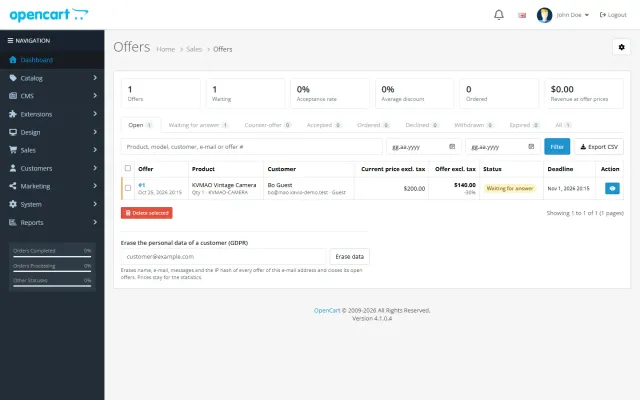
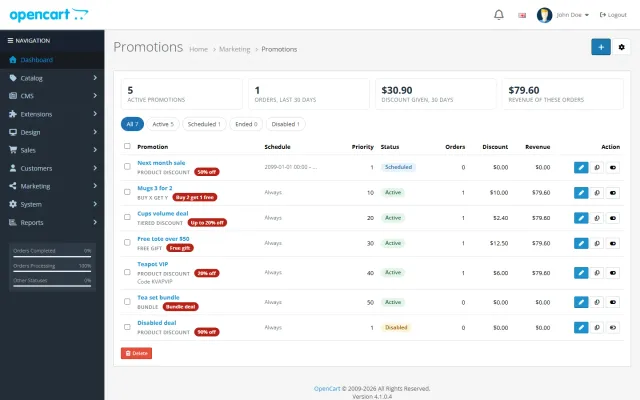
It works next to OpenCart’s product options, Sell by Weight & Length, Make an Offer and Advanced Promotions. It is part of the Hearth and Kite store kits on the packages page. Get Product Personalizer on the store.
OpenCart 4.0.2 to 4.1.x and 3.0.3 to 3.0.5, in separate packages under one licence. Tested on 4.1.0.4 and 3.0.5.1. OpenCart events and a standard order total, with no core changes, no OCMOD and no theme edits.
Most shops either include a short text in the price or charge per character. Per character with free characters works well for engraving, since "Mum" stays free and a long message pays for the extra time. A fixed fee suits work where length does not change the effort, such as a monogram.
| Offer | Setting | Example |
|---|---|---|
| Short names free | Per character, with 5 free | Longer text pays from the 6th character |
| Monogram | Fixed | One fee per item |
| Gift message | Free | No fee, but required field limits apply |
Fees are never discounted, so a coupon on the order does not reduce the cost of the work. Say so in the help text if your customers often use coupons.
OpenCart
Engraving, names and monograms with a live preview on the product photo, 12 fonts, fixed or per-character fees, character rules and a printable production sheet (OpenCart 4.x and 3.0.x).
OpenCart
The most requested products on this platform. Each one has its own page, and you can buy it straight on the sales site.
Decimal quantities in 15 units, preset buttons, a live line total and exact decimal stock, on OpenCart 4 and 3.
Shoppers propose a price; you accept, counter or decline, and the agreed price is applied once in the cart.
Buy X get Y, tiers, bundles, free gifts and scheduled campaigns with badges and cart nudges.
A grocery theme with aisle bubbles, stepper cards with unit prices, recipe add-all and a phone basket bar.
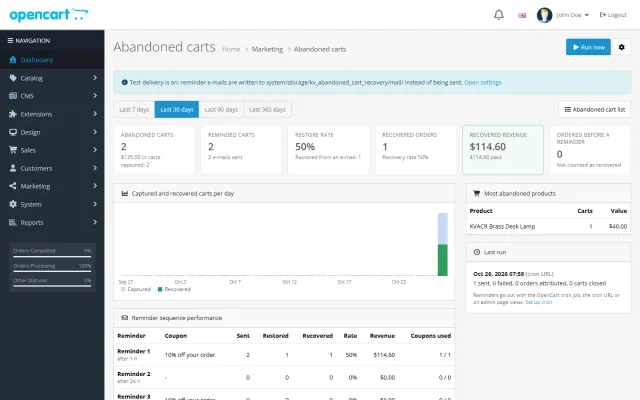
Up to three reminders, single-use coupons, a restore link and a recovered-revenue dashboard.
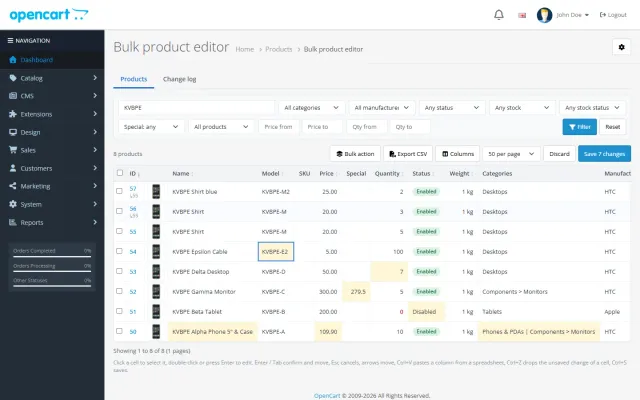
A spreadsheet grid for prices, specials, stock and options, with bulk actions, preview and undo.
Prices, licences, full documentation and instant downloads are on the store.
opencart.kaviolabs.com · 16 extensions · 11 themes
Product personalizer
Built natively for each platform, not ported. Each version has its own product page, documentation and price.
CS-Cart
Text, photo and choice fields on print areas with a live preview, server-rendered proofs and surcharges.
WooCommerce
Names, dates and monograms previewed on the product image, with server-checked fees and the block checkout.
PrestaShop
Names, dates and initials previewed on the product image, with fees checked on the server and a production sheet.
Engraving previewed on the product photo, monogram styles, an add-on price at checkout and a production sheet.
FAQ
No. The fee is calculated on the server from the checked values and the template saved with the cart line, and every add to cart is checked again.
OpenCart has no event inside the cart library. A total line works on every OpenCart 4 and 3 store, together with coupons, gateways and extensions that replace the cart, such as our Sell by Weight & Length.
It is tested with the default OpenCart 4 and 3 themes and our Pantry theme. Themes that keep the standard product form work.
Carts and orders keep the template as it was when the item was added: fields, labels and fee.
No. It is for text and monograms.
No. Fees are taxed like the product and never discounted.
Yes. Use the built-in English list plus your own words. It also catches look-alike spellings.
On the production sheet under Sales, with done marks and a print view.
The product page has screenshots, the full documentation and the changelog.
Kavio Labs
The same standards, the same support desk and one licence portal on every platform we build for.