Vendor Payouts Automation
Payout schedules, hold periods, approval batches and SEPA or PayPal payout files, on top of core vendor accounting.
Platforms
 CS-CartAdd-ons and themes for CS-Cart and Multi-Vendor
 OpenCartExtensions and themes for OpenCart 4 and 3
 WooCommercePlugins and themes for WooCommerce
 PrestaShopModules and themes for PrestaShop 8.2 and 9
 ShopifyApps with a free plan
Stores
CS-Cart guide · Sell by Weight & Length
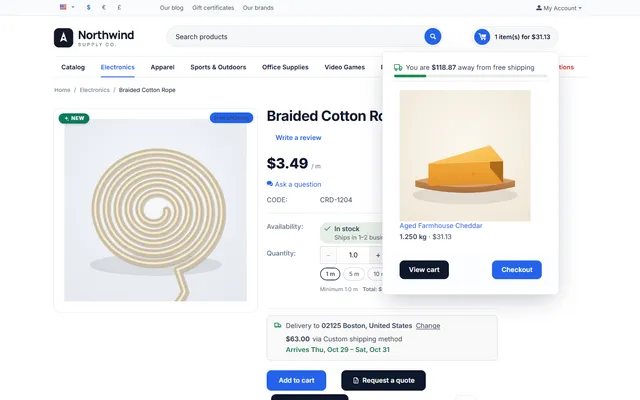
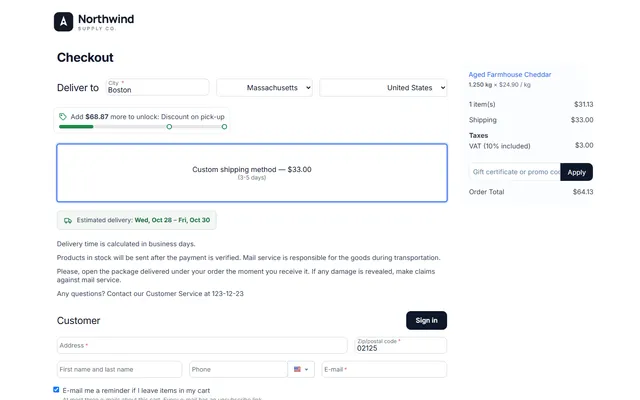
Shoppers buy 1.25 kg of cheese or 2.6 m of rope. The price is per unit, the cart shows "1.250 kg × $12.99 / kg", and stock goes down by the exact amount. No core file is changed.


The problem
CS-Cart counts products in whole items. Stores that sell cheese, coffee, fabric, rope, cable or flooring end up creating "100 g" products, or rounding up and refunding the difference.
Both workarounds break something: the price per kilo is hidden, stock is counted in packs, and invoices do not show what was actually sold.
Sell by Weight & Length
Open a product and choose its unit (kg, g, lb, m, ft, m², L and more), the step (down to 0.001), the minimum, the maximum and preset buttons.
They type 1,25 or tap 250 g, 500 g or 1 kg. The price shows "/ kg" on product pages and lists.
Cart, checkout, orders, invoices and e-mails show the real quantity; orders take exact stock and cancellations give it back.
With unit, step, minimum and maximum; the cart merges and corrects quantities.
Quick amounts such as 250 g, 500 g and 1 kg next to the field.
Lines priced to the cent, with taxes, promotions and quantity discounts.
Decimal remainders, restored on cancellation and return.
Payment line items are sent so gateways that accept whole quantities still work.
Import/export columns, REST API fields, order editing, and vendors set units for their own products.
Sell by Weight & Length
CS-Cart counts products in whole items. The quantity field, the cart, the stock and the order lines are all integers, which is fine for shoes and awkward for cheese, coffee, fabric, rope, cable or flooring. Stores work around it in two ways: they create a "100 g" product and ask for 13 of them, or they round up and refund the difference.
Both show. The 100 g product confuses shoppers and makes the order sheet hard to read, and stock counts in units nobody weighs. Sell by Weight & Length keeps the real quantity on the order, in the stock and on every document: 1.250 kg of cheese, 3.5 m of rope, 2.4 m² of flooring, 0.75 L of olive oil.
Supported units: kg, g, lb, oz, m, cm, ft, yd, in, m², ft², L, ml, gal and fl oz. The short labels are language variables you can rename.
Customer pages, invoices, packing slips and order e-mails show the measure in the quantity column. On Nova (4.21) the add-to-cart stepper is replaced by the decimal field for these products. On product lists, Add to cart adds the default quantity.
Open the product, General tab, section Sell by weight, length, area or volume:
| Field | Example | Meaning |
|---|---|---|
| Sale unit | Kilogram | Whole items keeps the product as it is. Any unit switches on decimals; the price becomes the price of 1 unit. |
| Quantity step | 0.005 | Smallest change, up to 4 decimals. It also sets the decimals shown. |
| Minimum / maximum | 0.1 / 5 | Per line, in the sale unit. |
| Default quantity | 0.5 | Pre-filled on the page and used by Add to cart in lists. |
| Preset quantities | 0.25, 0.5, 1 | Up to 8 buttons. Below 1 kg they read 250 g. |
| Exact stock | 8.750 | The real stock in the sale unit. |
For shipping by weight, set the product’s Weight to the weight of one sale unit (1 for kg). Quantity discounts work in the sale unit, so a discount from 5 applies from 5 kg.
For large catalogs, seven import and export columns set the same fields, and the REST API reads and writes them. Vendors can set units on their own products while the setting allows it.
The line price is the unit price times the quantity, rounded once: 12.99 × 1.25 = 16.2375, so $16.24. Taxes, cart promotions, coupons and currencies all work from that line. Payment services receive each line as "1 × line total", because PayPal, Stripe and similar gateways only accept whole quantities. The order total does not change.
| "100 g" product | Variations | Decimals | |
|---|---|---|---|
| Any amount | Multiples only | Fixed sizes only | Yes, to your step |
| Stock in real units | No | Per variation | Yes, shared |
| Invoice shows real quantity | No | Partly | Yes |
| Setup per product | Low | High | Low |
| Item-count reports | Accurate in packs | Accurate | Count lines |
If you only ever sell 250 g and 500 g bags, variations are fine and you do not need this add-on. It pays off when customers order what they need rather than what you packed: deli counters, fabric, cable, flooring, bulk foods.
Our guide to selling by weight on each platform compares the options in more detail. For custom-cut prices based on two dimensions, look at Advanced Product Options & Price Formulas. Min/Max Order & Quantity Rules applies its rules in the sale unit, and EU e-Invoicing carries the measured quantities and units. Get Sell by Weight & Length on the store.
CS-Cart and Multi-Vendor 4.17.2 to 4.21.x, PHP 7.2.5 to 8.3 as your version supports. Works with Responsive, Bright, Nova and themes based on them, including the Kavio Labs themes. The 4.21 full page cache is supported, because product pages are the same for every visitor. On Ultimate, product settings are shared like the product, and settings are per storefront.
CS-Cart
Sell products by weight, length, area or volume: decimal quantities such as 1.250 kg with step, minimum, maximum and preset amounts, priced to the cent and tracked in stock.
CS-Cart
The most requested products on this platform. Each one has its own page, and you can buy it straight on the sales site.
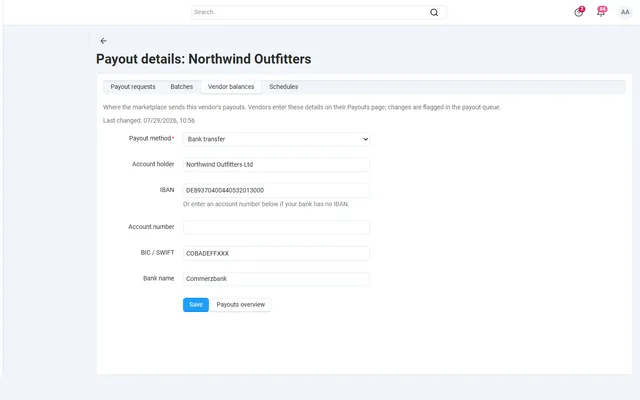
Payout schedules, hold periods, approval batches and SEPA or PayPal payout files, on top of core vendor accounting.
Commission by vendor, category, product, price or monthly sales on top of your vendor plans, with a simulator.
A Make an offer button with counter-offers, deadlines and a single-use agreed price; vendors answer their own offers.
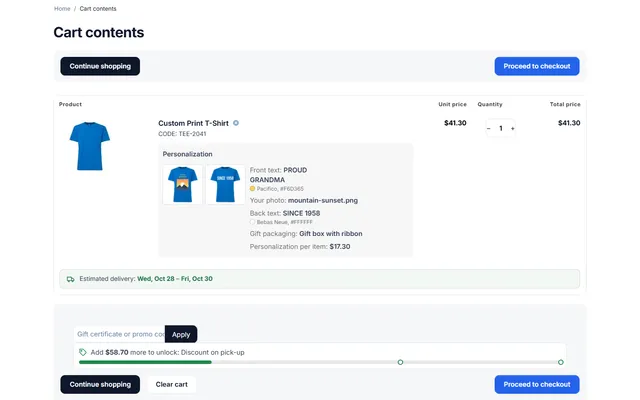
Text, photo and choice fields on print areas with a live preview, server-rendered proofs and surcharges.
XRechnung, Factur-X/ZUGFeRD and Peppol BIS 3.0 e-invoices and credit notes from every order.
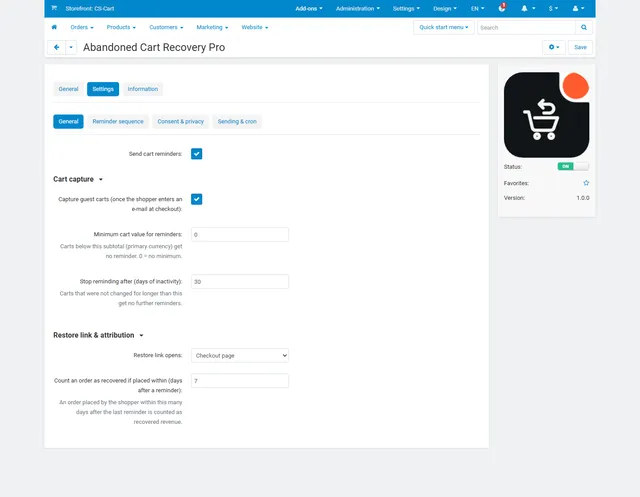
Up to three reminders, single-use coupons, one-click cart restore and recovered revenue per reminder.
Prices, licences, full documentation and instant downloads are on the store.
cs-cart.kaviolabs.com · 98 add-ons · 29 themes
Sell by weight
Built natively for each platform, not ported. Each version has its own product page, documentation and price.
Decimal quantities in 15 units, preset buttons, a live line total and exact decimal stock, on OpenCart 4 and 3.
WooCommerce
Decimal quantities like 1.25 kg, quick amounts, length × width and exact decimal stock, with the block checkout.
PrestaShop
Amounts like 1.25 kg or 2.40 m with quick amounts, a live total, exact decimal stock and real shipping weight.
Shopify
An amount input with a live price, Shopify unit prices and a checkout check for minimum and maximum amounts.
Guide
Guide
How five platforms handle 1.25 kg or 2.5 m, the usual workarounds and what to check before you choose.
Read the guideFAQ
Yes. Vendors set the units of their own products, and it is tested on CS-Cart and Multi-Vendor.
Yes. Lines are priced to the cent with taxes, promotions and quantity discounts.
Yes. Payment line items are sent in a form that gateways accepting only whole quantities can process.
Yes. It works with full page cache, the Nova theme stepper and our Min/Max Order & Quantity Rules add-on.
CS-Cart stores whole quantities only, so a measured product is one order line that holds the exact amount. The line shows it under the product name, and customer pages, invoices and e-mails show it in the quantity column.
Yes. Option modifiers are added to the unit price, and each variation has its own sale unit and stock settings.
Not as one product, because a product has one sale unit. Use two products or variations, one with a sale unit and one sold in whole items.
Cancelled or declined orders and core RMA returns give back the exact quantity of each line.
Core reports that count items count order lines, so 1.250 kg is one item. Revenue, tax and discount amounts are exact.
The product page has the full documentation, screenshots and the changelog.
Kavio Labs
The same standards, the same support desk and one licence portal on every platform we build for.