Make an Offer
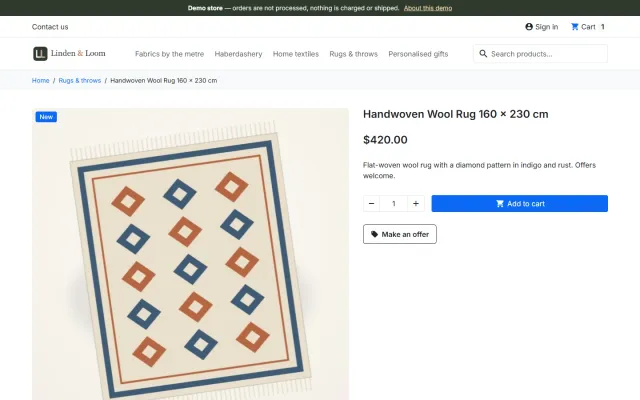
A Make an offer button with negotiation rounds; the agreed price is a specific price bound to one cart.
Platforms
 CS-CartAdd-ons and themes for CS-Cart and Multi-Vendor
 OpenCartExtensions and themes for OpenCart 4 and 3
 WooCommercePlugins and themes for WooCommerce
 PrestaShopModules and themes for PrestaShop 8.2 and 9
 ShopifyApps with a free plan
Stores
PrestaShop guide · Sell by Weight & Length
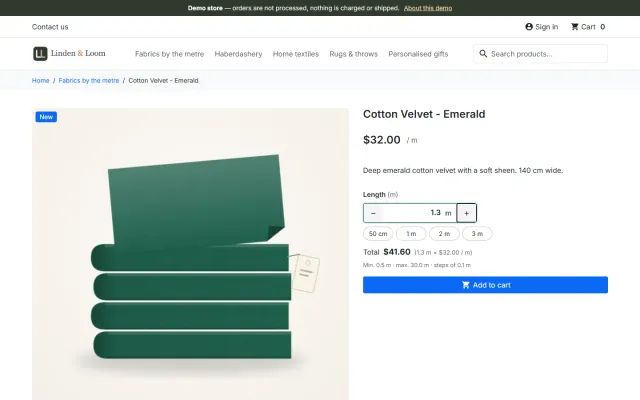
Customers enter the amount they need (1.25 kg, 2.40 m), tap a quick amount and see the total while they type. Cart, checkout, order, invoice, shipping weight and stock all follow the amount, on PrestaShop 8.2 and 9.x.


The problem
PrestaShop stores quantities as whole numbers everywhere: cart, orders and stock. A fabric shop cannot sell 2.40 m, and a cheese shop cannot sell 1.25 kg.
The usual answers are combinations per length or weight, or customization fields that do not touch price, weight or stock.
Sell by Weight & Length for PrestaShop
On the product (Modules tab) or once per category: one of 15 units, step, minimum, maximum, default amount and up to 8 quick amounts.
They type 1.25 or tap a quick amount and see the live total. The product price is the price of one unit.
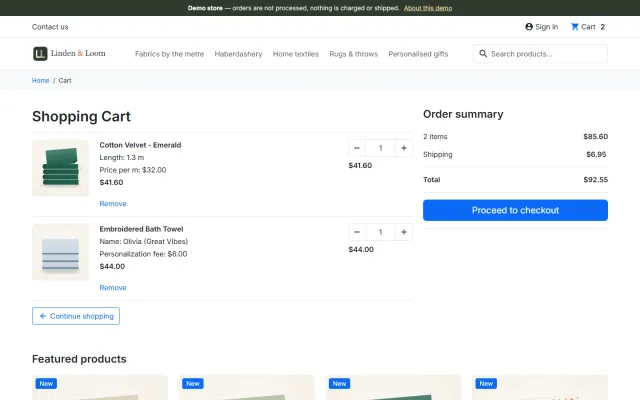
"Weight: 1.25 kg" shows in cart, checkout (also the 9.2 one-page checkout), e-mails, PDF invoices and the back-office order; stock and shipping weight use the amount.
Weight, length, area and volume, per product or per category.
Amount field with quick amounts and the total as the customer types.
Specific prices, catalog price rules, group discounts, taxes and currencies apply as usual.
Kept by the module (8.75 kg); PrestaShop’s own stock shows it rounded up.
Weight of one unit × amount for every measured line.
Hooks and module customizations only; Classic and Hummingbird themes.
Sell by Weight & Length for PrestaShop
PrestaShop counts in whole units. Common workarounds are combinations such as 250 g, 500 g and 1 kg, or a module that changes the price but leaves the quantity at 1. Combinations limit customers to fixed sizes and multiply your stock lines.
Sell by Weight & Length lets customers type the amount they need: 1.25 kg of coffee, 2.40 m of fabric, 3.5 m² of flooring, 0.75 L of paint. Prices go through PrestaShop’s own calculation, so specific prices, catalog price rules, group discounts, taxes and currencies keep working, with no overrides.
Adding the same amount again raises that line’s quantity, so 2 × 1.25 kg is two pieces of that amount. The cart quantity field counts pieces of an amount, and a different amount is a new line.
On product lists, "/ kg" shows after the price. Themes with an add-to-cart button in lists, such as Hummingbird, show See details instead, because an amount is needed.
In the product’s Modules tab, open Sell by Weight & Length and click Configure. The block saves on its own.
| Field | Example | Meaning |
|---|---|---|
| Sale unit | Kilogram | Price and weight become those of one unit. |
| Step | 0.05 | Up to 4 decimals. Empty means 0.01. |
| Minimum / maximum | 0.1 / 5 | Per cart line. |
| Default amount | 0.5 | Shown when the page opens. |
| Quick amounts | 0.25, 0.5, 1, 2 | Up to 8 buttons. |
| Exact stock | 12.35 | One field per combination. |
There are 15 units: kg, g, lb, oz, m, cm, ft, yd, in, m², ft², L, ml, gal and fl oz.
For a department, set Category defaults on the module page. Products set to Use the category default take the rule of their default category, then its parents, then their other categories. Choose Whole items to exempt a product.
Combinations use the settings of their product, and each combination’s price and weight impact applies per unit. PrestaShop’s own Stocks quantity shows exact stock rounded up, so 12.35 shows as 13. Orders reduce stock exactly, and cancellations restore it. Weight-based carriers get the real shipping weight.
| Combinations | Price-by-size module | This module | |
|---|---|---|---|
| Any amount | No | Yes | Yes, to your step |
| Uses core prices | Yes | Varies | Yes |
| Exact decimal stock | Per combination | Often not | Yes |
| Amount on PDF invoice | Combination name | Varies | Yes |
| Overrides | No | Sometimes | No |
If you only sell three pack sizes, combinations are free and simpler. Choose real amounts when customers order what they need.
The Pantry theme shows Choose amount on cards and styles the amount field; the Pantry Store Kit bundles both. EU E-Invoicing carries measured quantities with their unit. Product Personalizer works on the same cart line. The Made-to-Order Pack is on the packages page. Our guide compares options across platforms. Get Sell by Weight & Length on the store.
One package for PrestaShop 8.2 and 9.x, on Classic and Hummingbird, tested with the 9.2 one-page checkout. One small script loads on product pages only. No overrides.
| Product | Unit | Step | Quick amounts |
|---|---|---|---|
| Coffee or tea | g | 50 | 250, 500, 1000 |
| Cheese or deli | kg | 0.05 | 0.25, 0.5, 1 |
| Fabric | m | 0.1 | 1, 2, 5 |
| Rope or cable | m | 0.5 | 5, 10, 25 |
| Flooring | m² | 0.01 | 5, 10, 20 |
Match the step to how you actually weigh and cut. A step of 0.001 kg promises what your scales may not deliver. Before launch, order one product on your live payment method, change the amount, cancel the order, and check that stock returns. Then check the PDF invoice, which is the document your customer keeps.
PrestaShop
Sell by weight, length, area or volume on PrestaShop 8.2 and 9.x: amount field with quick amounts and live total, exact decimal stock and real shipping weight. No overrides.
PrestaShop
The most requested products on this platform. Each one has its own page, and you can buy it straight on the sales site.
A Make an offer button with negotiation rounds; the agreed price is a specific price bound to one cart.
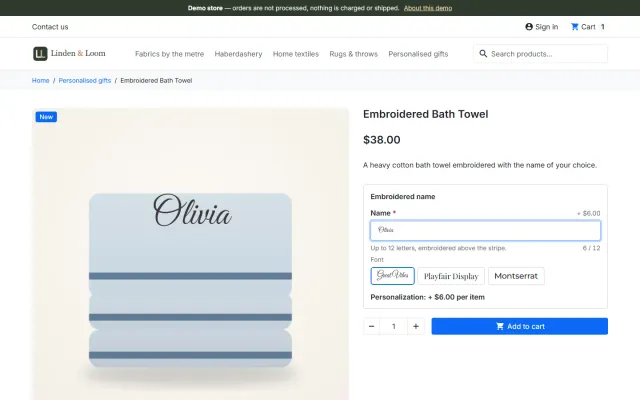
Names, dates and initials previewed on the product image, with fees checked on the server and a production sheet.
Factur-X/ZUGFeRD, XRechnung and Peppol BIS 3.0 e-invoices with your PrestaShop invoice numbers.
Up to three reminders, single-use vouchers, a signed restore link and recovered revenue per reminder.
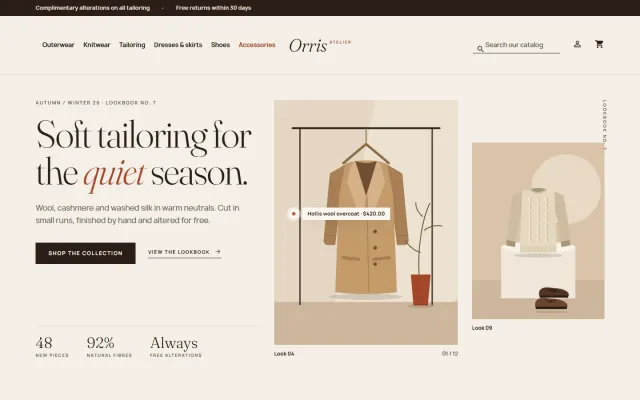
A lookbook-style fashion theme for Classic-based shops, with colour swatches, size chips and four presets.
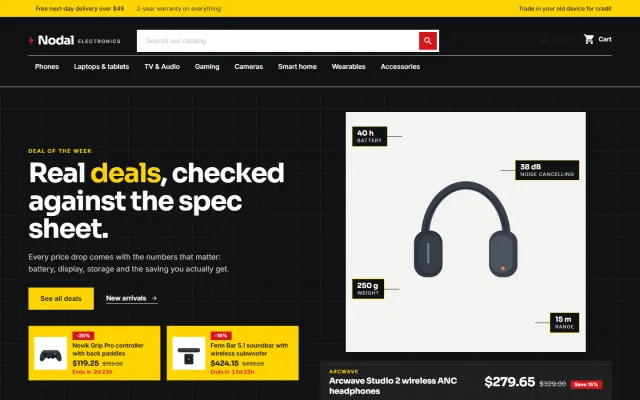
A deal-first child theme of Classic for gadget stores, with spec cards, countdowns and four presets.
Prices, licences, full documentation and instant downloads are on the store.
prestashop.kaviolabs.com · 14 modules · 11 themes
Sell by weight
Built natively for each platform, not ported. Each version has its own product page, documentation and price.
CS-Cart
Decimal quantities with a unit, step, presets and price per kg or metre, with exact stock down to 0.001.
Decimal quantities in 15 units, preset buttons, a live line total and exact decimal stock, on OpenCart 4 and 3.
WooCommerce
Decimal quantities like 1.25 kg, quick amounts, length × width and exact decimal stock, with the block checkout.
Shopify
An amount input with a live price, Shopify unit prices and a checkout check for minimum and maximum amounts.
Guide
Guide
How five platforms handle 1.25 kg or 2.5 m, the usual workarounds and what to check before you choose.
Read the guideFAQ
PrestaShop stores quantities as whole numbers. A measured line is one piece of 1.25 kg: the amount is part of the line and its price is the price of 1.25 kg. Two pieces of the same amount show quantity 2.
Yes. Specific prices, catalog price rules and group discounts apply to the unit price; cart rules work on the cart as usual. Quantity-based specific prices count pieces, not kilograms.
The product weight (plus the combination weight impact) is the weight of one unit; the line weight is that × the amount.
No. It uses PrestaShop hooks and module customizations, so updates of PrestaShop and other modules are not affected.
Yes. Prices go through PrestaShop’s own calculation, so specific prices, catalog price rules, group discounts, taxes and currencies keep working.
Yes. Category defaults have the same fields, and products can inherit them or opt out.
Yes. Combinations use the settings of their product, and their price and weight impact applies per unit.
Exact stock is held per combination. The Stocks quantity shows it rounded up, orders reduce it exactly, and cancellations restore it.
See the product, category and cart screens and read the documentation on the product page.
Kavio Labs
The same standards, the same support desk and one licence portal on every platform we build for.