Sell by Weight & Length
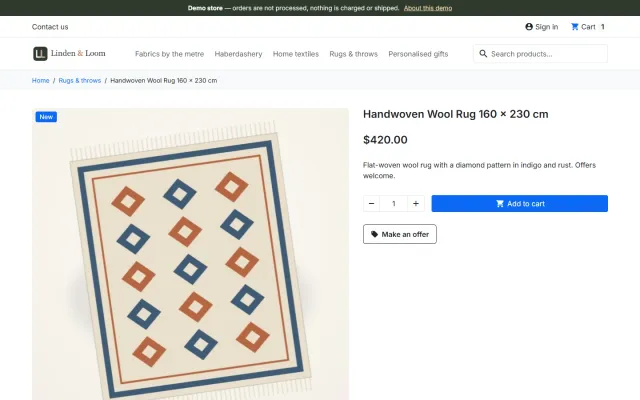
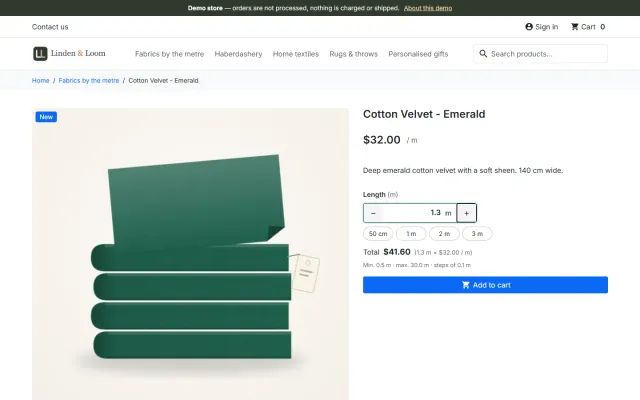
Amounts like 1.25 kg or 2.40 m with quick amounts, a live total, exact decimal stock and real shipping weight.
Platforms
 CS-CartAdd-ons and themes for CS-Cart and Multi-Vendor
 OpenCartExtensions and themes for OpenCart 4 and 3
 WooCommercePlugins and themes for WooCommerce
 PrestaShopModules and themes for PrestaShop 8.2 and 9
 ShopifyApps with a free plan
Stores
PrestaShop theme · Hearth
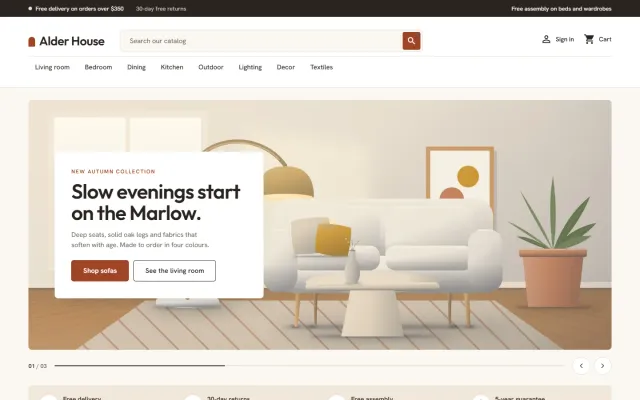
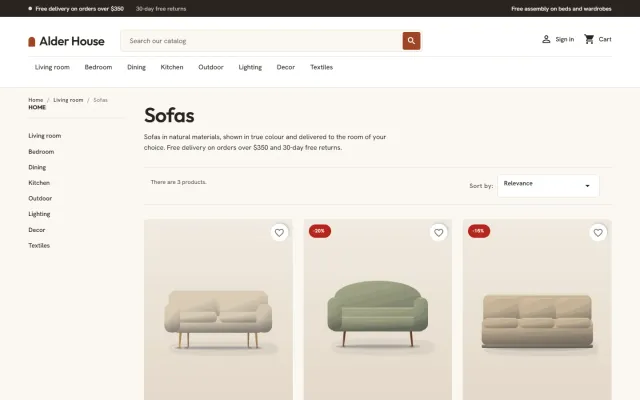
Hearth is built for furniture, lighting, rugs, textiles, tableware and homeware stores, where shoppers browse by room, compare materials and colours and want to know when a piece arrives. A room hero, Shop by room tiles, 4:5 studio cards with a material and delivery line, colour swatches, a Complete the look checklist and a delivery panel. A child theme of Classic, so one package runs on PrestaShop 8.2 and 9.x.

The problem
People furnish rooms. A general theme shows a grid of small products, so there is no sense of a room and nothing that helps a shopper put a set together.
Home products raise practical questions too: what is it made of, which colours exist, how big is it and when does it arrive. The answers belong on the card and next to Add to cart.
Hearth: Home & Kitchen Theme for PrestaShop
Enable Hearth, then regenerate thumbnails once in Design > Image Settings. Import the demo content "Alder House" with one button: eight rooms, forty-seven products and a timed sale.
Clay, Coast, Rattan or Evening. They change corners, buttons, menu case and tone, not only colour.
Use a Colour attribute for swatches and fill in the material, size and delivery time information; cards and the product page show it.
Up to three slides with a floating text card on a wide room picture, plus room tiles with the category picture, name and item count.
4:5 product wells with soft studio light, a material line, colour swatches, a delivery line such as Made to order: 5-7 weeks, a wish list heart and flags.
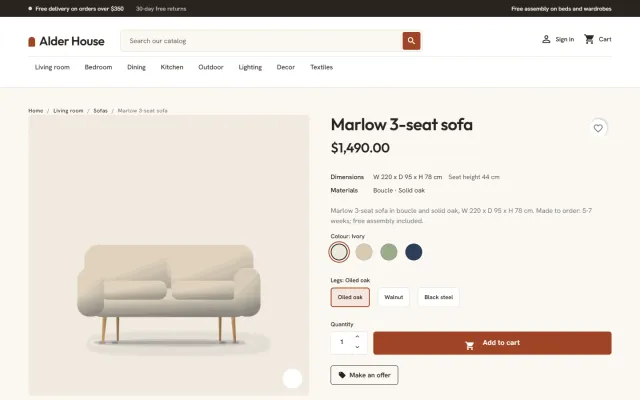
Sell one product in several colours: every colour is a swatch on the card and the product page, and the gallery picture changes with the colour.
A room picture beside a checklist of products with a live total and one Add to cart button. Shoppers untick what they already have.
A large gallery, a dimensions line such as W 220 x D 95 x H 78 cm, materials and option chips, and a panel with delivery time, assembly, shipping and returns.
It overrides only a few templates and adds one stylesheet and one script. Works with the classic five-step checkout and the PrestaShop 9.2 one-page checkout. Outfit and Hanken Grotesk are self-hosted.
Hearth: Home & Kitchen Theme for PrestaShop
Hearth is for furniture, lighting, rug, tableware and homeware merchants, for considered purchases. The home page has a room hero with a floating text card, Shop by room tiles with picture and item count, a promise strip, two promo tiles, a makers strip, reviews and a samples band.
Cards sit in a studio-light well, with a material line, colour swatches, a delivery line and flags. The product page has a dimensions line, materials, option chips and a delivery panel for delivery time, assembly, shipping and returns.
A room picture sits beside a checklist of its products, with a live total and one Add to cart button. It posts to the standard cart controller, and nothing else is sent anywhere. For a homeware store this is the closest thing to a showroom display, and shoppers can untick what they already own.
The reviews block shows texts you type, so only use genuine quotes.
| Classic | Hearth | |
|---|---|---|
| Shop by room | No | Included |
| Material and delivery lines | No | Included |
| Complete the look | No | Included |
| Dimensions line | No | Included |
Presets: Clay (terracotta), Coast (sea blue, square corners), Rattan (cream and honey, pill buttons) and Evening (dark, copper). Every home section is optional and written on one settings page. The demo, Alder House, has 47 products and one-click removal.
The Hearth Store Kit on the packages page adds Sell by Weight & Length for fabric, flooring and rugs, and Make an Offer for big-ticket items. Get Hearth on the store. Also on OpenCart and WooCommerce.
Furniture has long consideration times and high return costs, so your product pages do the work of a showroom.
For search, room and style pages often work better than bare categories: "small dining tables", "oak bedroom furniture". Give each a short useful introduction, written for a person measuring a room.
Care guides are also worth publishing. They answer questions shoppers ask before buying, and they bring in visitors who already own similar pieces.
Think about your returns policy before launch. Large items are costly to collect, so be clear about who pays and in what condition goods must come back.
PrestaShop 8.2 and 9.x, as a child theme of Classic, including the 9.2 one-page checkout. No core changes and no overrides. Outfit and Hanken Grotesk ship with it. Regenerate thumbnails once after enabling it.
Try the theme on a copy of your shop first. Local development hosts and subdomains of your licensed domain are covered.
A child theme keeps your changes apart from Classic, so a PrestaShop update does not overwrite them. Avoid editing Classic itself.
PrestaShop
Home, kitchen and furniture theme for PrestaShop 8.2 and 9.x: a room hero with a floating card, shop by room tiles, studio-light product cards with…
PrestaShop
The most requested products on this platform. Each one has its own page, and you can buy it straight on the sales site.
Amounts like 1.25 kg or 2.40 m with quick amounts, a live total, exact decimal stock and real shipping weight.
A Make an offer button with negotiation rounds; the agreed price is a specific price bound to one cart.
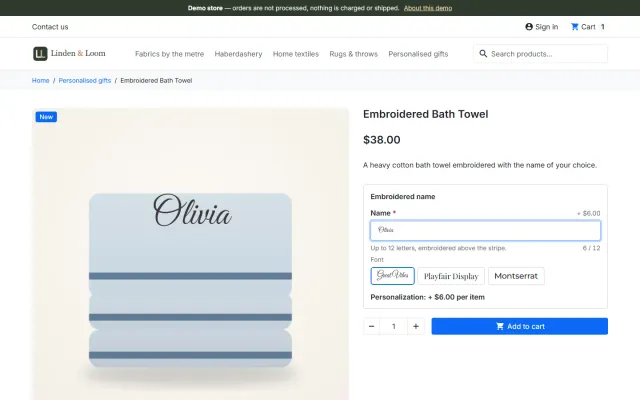
Names, dates and initials previewed on the product image, with fees checked on the server and a production sheet.
Factur-X/ZUGFeRD, XRechnung and Peppol BIS 3.0 e-invoices with your PrestaShop invoice numbers.
Up to three reminders, single-use vouchers, a signed restore link and recovered revenue per reminder.
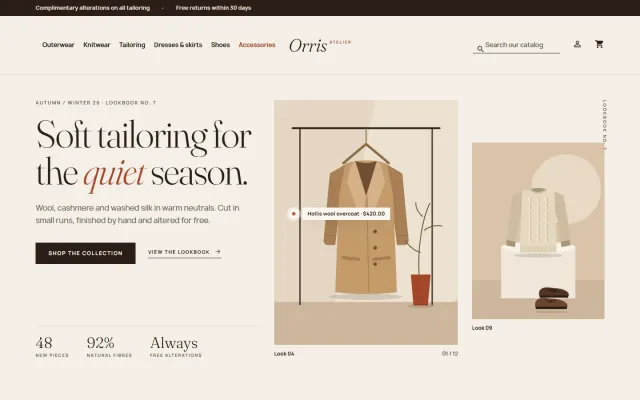
A lookbook-style fashion theme for Classic-based shops, with colour swatches, size chips and four presets.
Prices, licences, full documentation and instant downloads are on the store.
prestashop.kaviolabs.com · 14 modules · 11 themes
FAQ
No. It is a child theme of Classic plus a small companion module. It edits no core files, other modules or Classic, and uses no overrides.
PrestaShop 8.2 has only Classic, and Hummingbird 2.1 is built for 9.2 only. A Classic child theme runs on 8.2 and every 9.x release with one code base.
Yes. The offer button appears next to Add to cart (handy for negotiated furniture prices), the personalizer preview is drawn on the product picture, and rugs or fabric can be sold by the metre with Sell by Weight & Length.
It shows the delivery time you enter, such as Made to order: 5-7 weeks. It does not book delivery slots.
The shop keeps working and the templates and styles stay. The settings page shows the licence status and some home page sections and presets are switched off until the licence is valid again.
Yes. Every section is optional and written on one settings page.
Yes. Complete the look has a checklist with a live total and one Add to cart button.
The Alder House demo has 47 products and one-click removal.
The product page has every preset, screenshots and the documentation.
Kavio Labs
The same standards, the same support desk and one licence portal on every platform we build for.