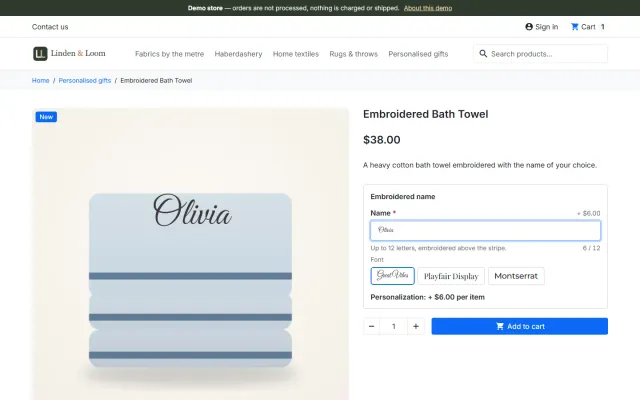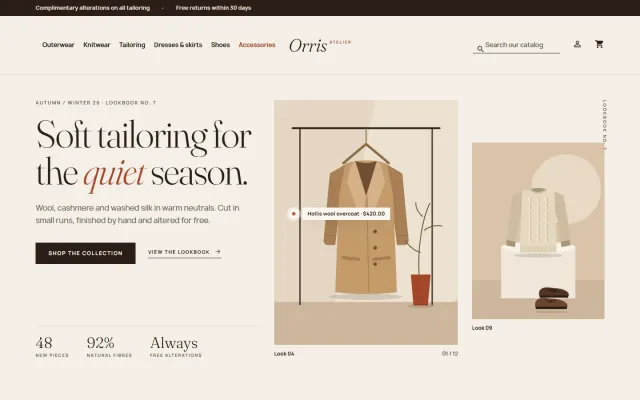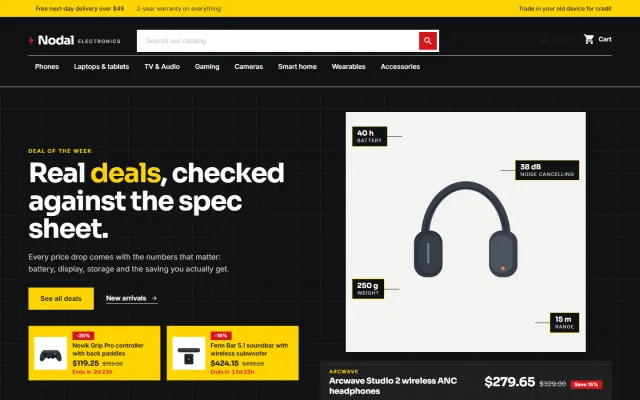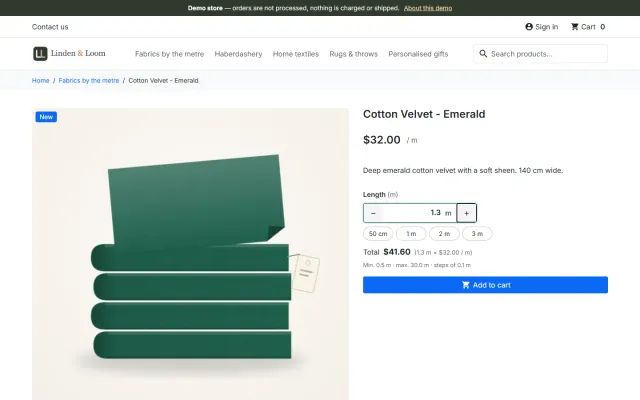
Sell by Weight & Length
Amounts like 1.25 kg or 2.40 m with quick amounts, a live total, exact decimal stock and real shipping weight.
Platforms
 CS-CartAdd-ons and themes for CS-Cart and Multi-Vendor
 OpenCartExtensions and themes for OpenCart 4 and 3
 WooCommercePlugins and themes for WooCommerce
 PrestaShopModules and themes for PrestaShop 8.2 and 9
 ShopifyApps with a free plan
Stores
PrestaShop guide · Make an Offer
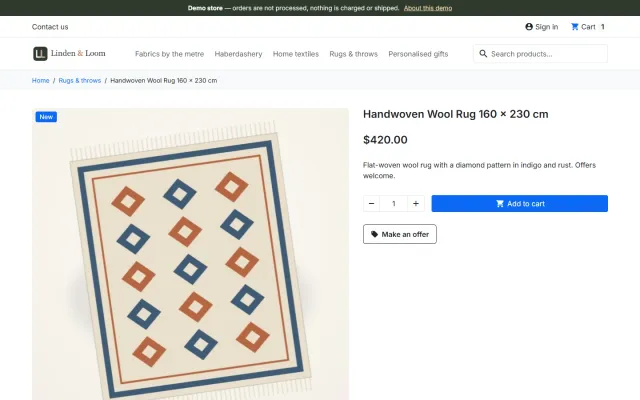
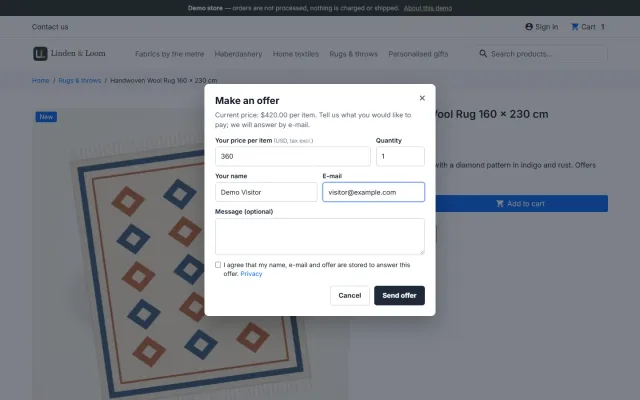
A "Make an offer" button on the product page, a negotiation you control from the back office, and an agreed price that only that customer can use, once.
The problem
A price negotiation only works if the agreed price reaches the cart for the right customer, for the right quantity, and only once. Otherwise the deal leaks to other shoppers or the order total does not match what was agreed.
That is why most shops end up negotiating by e-mail and creating a voucher by hand. It works for one deal a week, not for a steady flow of offers.
Make an Offer for PrestaShop
The button opens a short form: price per item, quantity and an optional message. Guests and signed-in customers can make offers, also for combinations.
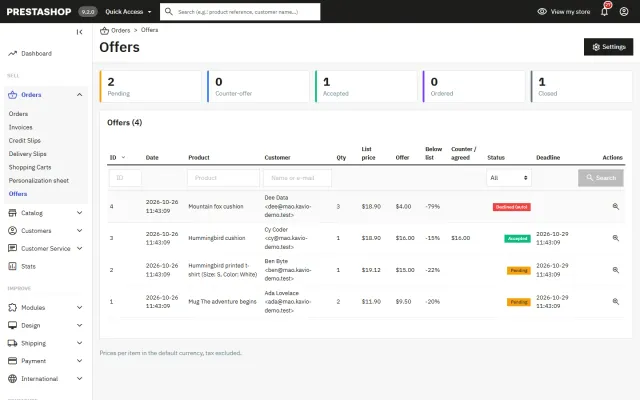
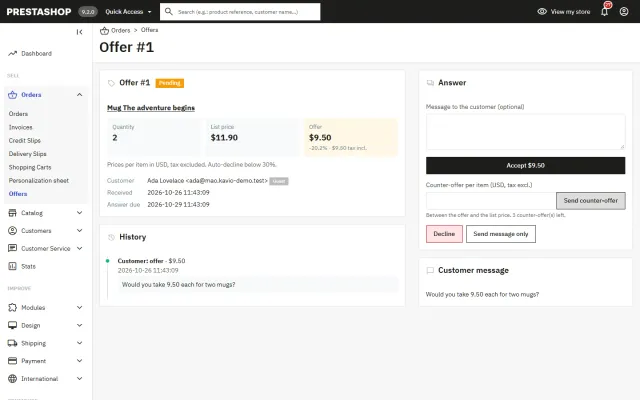
Accept, counter or decline in Orders > Offers. Or set automatic accept and decline percentages per product, category or store, and a hidden minimum price.
An accepted price is reserved for that customer’s cart, for the offered quantity, until the deadline, and can be used once.
Counter-offers with deadlines on both sides, and an e-mail at every step.
Automatic accept and decline percentages, and a hidden minimum price per product.
The agreed price is a specific price, so product page, cart, checkout, invoice and e-mails all show it.
Customers follow their offers in their account; guests get signed links. Offer pages are never indexed.
Limits per customer, product and connection, consent, hashed IP addresses, retention and erase.
One package for PrestaShop 8.2 and 9.x, Classic and Hummingbird, including the 9.2 one-page checkout.
Make an Offer for PrestaShop
A visitor who finds a price too high has no way to say so in PrestaShop. They leave, or they e-mail you, and you create a voucher or a specific price by hand.
Make an Offer adds a button on the product page where visitors propose a price per item. You answer in a click, or let rules answer for you. The clever part is how the price reaches the cart: it uses PrestaShop’s own cart-specific prices, so the product page, cart, checkout, orders, invoices and e-mails all show the agreed price without any override.
The reserved price is removed when the offer expires. My offers sits in the customer account.
| Setting | Default | Note |
|---|---|---|
| All products by default | Yes | No means only what you switch on. |
| Accept automatically from | Empty | A percentage of the current price. |
| Decline automatically below | Empty | A percentage of the current price. |
| Buying window | 72 hours | Then the offer expires. |
| Answer pending offers within | 3 days | 0 means never expire. |
| Counter-offers per offer | 3 | 0 means no limit. |
| Maximum quantity | 10 | 0 means no limit. |
Each value is looked up on its own: product rule, then the nearest category rule, then the settings. A hidden minimum price per product replaces the accept-from percentage for that product, and it is never shown.
Limits: five open offers per customer, three per customer and product in 30 days, five guest offers per connection per hour, and a honeypot. IP addresses are never stored, only a keyed hash for the hourly limit. Closed offers with personal data are anonymized after 365 days, and the official GDPR module is supported.
Deadlines are checked whenever an offer page or the list is opened. For e-mails exactly on time, call the cron address hourly; it needs its secret token.
| Manual voucher | Manual specific price | Make an Offer | |
|---|---|---|---|
| Tied to one customer | If set up | If set up | Yes |
| Automatic answers | No | No | Yes |
| Counter-offers | By e-mail | By e-mail | Built in |
| Expiry | Manual | Manual | Automatic |
| Overrides | No | No | No |
For the occasional request, a voucher works. Once offers repeat, one list and automatic rules save real time. Abandoned Cart Recovery runs next to it, and the settings guide covers discount levels. Hearth, Volt and Kite store kits include it on the packages page. Get Make an Offer on the store.
Auto-decline is empty by default here, so every offer reaches you until you set one. Start by reviewing your first 20 offers by hand, which shows what shoppers really propose. Then set accept and decline levels from your margin, and use a hidden minimum on high-value items.
Make sure offers reach you. Set the staff e-mail, and answer within a day or two, as an open offer is a shopper waiting. If a 72-hour buying window is too long for fast-moving stock, shorten it.
One package for 8.2 and 9.x, Classic and Hummingbird, including the 9.2 one-page checkout. The back office uses PrestaShop’s Symfony grid. It works next to Sell by Weight & Length and Product Personalizer.
Offers suit high-value items, unique or used pieces, end-of-line stock and bulk quantities. They suit low-margin everyday goods less well, because answering takes time. Use category rules to switch offers on only where they make sense, or set All products by default to No and choose the categories you want.
Decide also what to do about discounted items. The percentages compare with the current price, so an offer on a sale item starts from the sale price. The hourly guest limit and the honeypot keep spam away from your inbox, so you can leave guest offers on and only close them if abuse appears.
PrestaShop
Shoppers propose a price per item; the shop accepts, counters or declines, or rules answer at once. The agreed price is a one-time specific price for that…
PrestaShop
The most requested products on this platform. Each one has its own page, and you can buy it straight on the sales site.
Amounts like 1.25 kg or 2.40 m with quick amounts, a live total, exact decimal stock and real shipping weight.
Names, dates and initials previewed on the product image, with fees checked on the server and a production sheet.
Factur-X/ZUGFeRD, XRechnung and Peppol BIS 3.0 e-invoices with your PrestaShop invoice numbers.
Up to three reminders, single-use vouchers, a signed restore link and recovered revenue per reminder.
A lookbook-style fashion theme for Classic-based shops, with colour swatches, size chips and four presets.
A deal-first child theme of Classic for gadget stores, with spec cards, countdowns and four presets.
Prices, licences, full documentation and instant downloads are on the store.
prestashop.kaviolabs.com · 14 modules · 11 themes
Make an offer
Built natively for each platform, not ported. Each version has its own product page, documentation and price.

CS-Cart
A Make an offer button with counter-offers, deadlines and a single-use agreed price; vendors answer their own offers.
OpenCart
Shoppers propose a price; you accept, counter or decline, and the agreed price is applied once in the cart.
WooCommerce
A Make an offer dialog with counter-offers and hidden rules; the agreed price is enforced only in that shopper’s cart.
Guide
Guide
Hidden minimums, auto-accept and auto-decline thresholds, deadlines and limits that keep offers profitable.
Read the guideFAQ
No. PrestaShop has specific prices and cart rules, but no way for shoppers to propose a price. A module adds the button and the negotiation.
No. The agreed price is bound to one customer’s cart, product or combination and quantity, until a deadline, and can be used once.
Yes, unless you switch it off. Then a "Sign in to make an offer" link is shown instead.
Yes. The agreed price shows in the standard checkout and in the 9.2 one-page checkout.
No. It works through hooks, a front controller, a Symfony back-office page and PrestaShop’s specific prices, on 8.2 and 9.x.
Yes. A hidden minimum price per product accepts offers at or above it, and customers never see it.
Yes. Guests work through the offer page linked in their e-mails.
It has guest consent, no stored IP addresses, a retention period, erase by e-mail and support for the official GDPR module. What your store must do is for your adviser.
See the offer dialog and the back office screens, then read the documentation on the product page.
Kavio Labs
The same standards, the same support desk and one licence portal on every platform we build for.