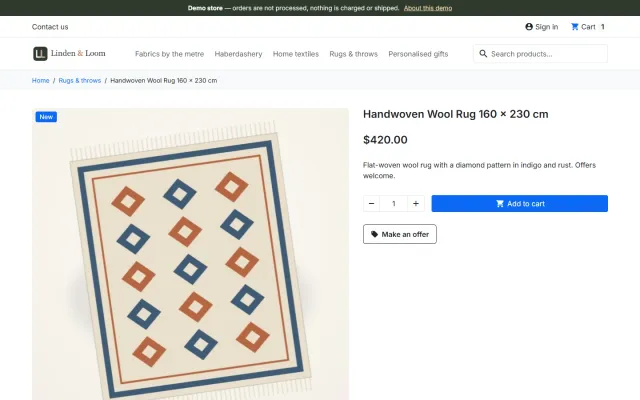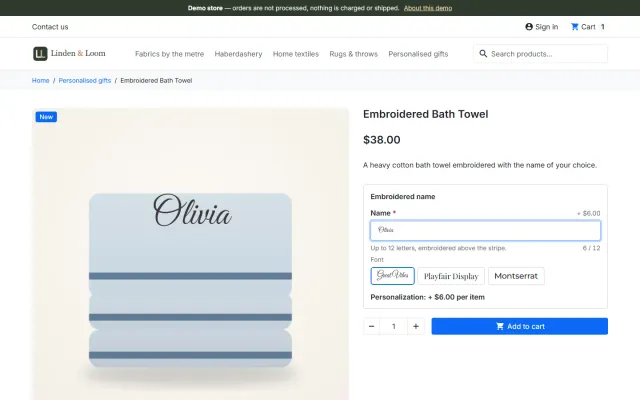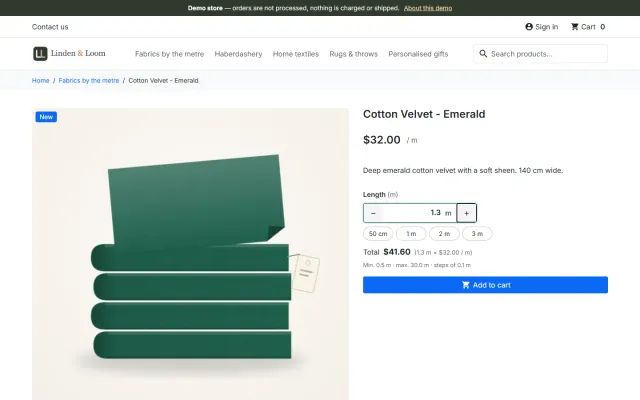
Sell by Weight & Length
Amounts like 1.25 kg or 2.40 m with quick amounts, a live total, exact decimal stock and real shipping weight.
Platforms
 CS-CartAdd-ons and themes for CS-Cart and Multi-Vendor
 OpenCartExtensions and themes for OpenCart 4 and 3
 WooCommercePlugins and themes for WooCommerce
 PrestaShopModules and themes for PrestaShop 8.2 and 9
 ShopifyApps with a free plan
Stores
PrestaShop theme · Atelier
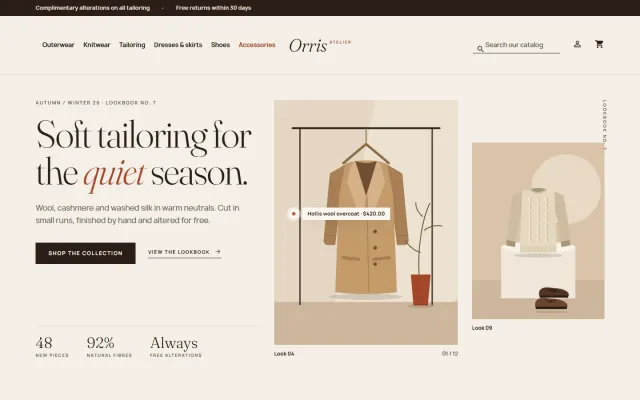
Atelier is built for independent labels, boutiques and concept stores selling clothing, shoes and accessories: an editorial lookbook hero, tall 3:4 product cards with colour swatches and a quick view bar, size chips on the product page and four presets. A child theme of Classic, so one package runs on PrestaShop 8.2 and 9.x.

The problem
Fashion sells on images and sizes. General-purpose themes show small square photos, hide the colours behind a dropdown and give every product the same cold catalogue look.
Shoppers also want to see the colour they chose: if the gallery does not change when they pick one, they doubt the photos are right.
Atelier: Fashion Theme for PrestaShop
Enable Atelier, then regenerate thumbnails once in Design > Image Settings: it uses 3:4 picture sizes. Import the demo content "Orris Atelier" with one button to see the theme working.
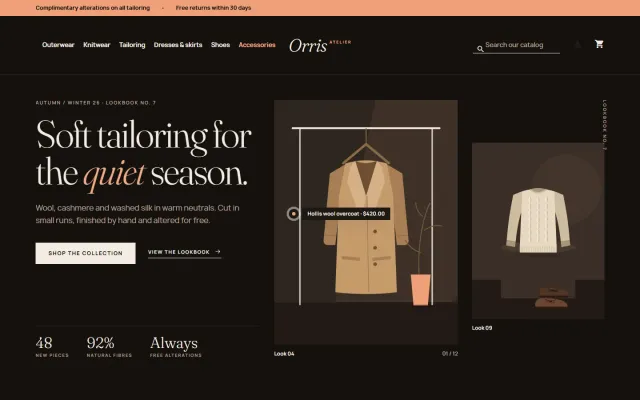
Bone, Noir, Sorbet or Sage. They change the mood, not just the colour: a dark evening edition, solid colour panels, rounded or framed images.
Give your Colour attribute values a colour or texture and associate each combination with its pictures: cards show the swatches, and the gallery switches when a shopper picks a colour.
An editorial serif headline with an italic word, three big facts and a tall 3:4 image with a shop-the-look pin showing a product name and price.
Tall 3:4 cards that show the second image on hover, a Quick view bar, colour swatches, hang-tag labels such as New or -12% and a wishlist heart.
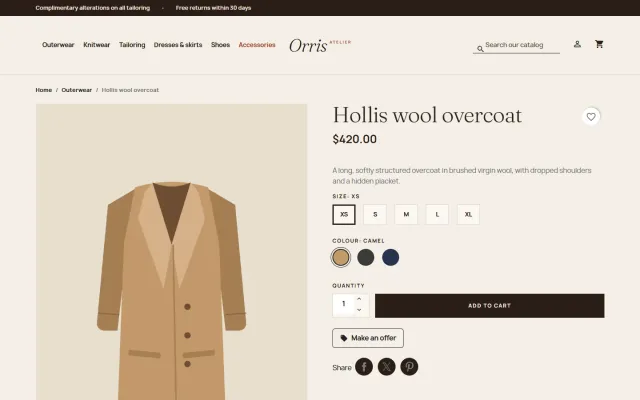
Large 3:4 gallery, colour swatches that switch the pictures, a size chip grid and a big Add to cart button.
It overrides only a few templates and adds one stylesheet and one script, so updates to Classic keep reaching your shop. No overrides of core or other modules.
Works with the classic five-step checkout and with the PrestaShop 9.2 one-page checkout, in the Atelier look.
Fraunces and Manrope from your own shop; Atelier makes no font CDN requests.
Atelier: Fashion Theme for PrestaShop
Atelier gives independent labels, boutiques and concept stores a storefront that reads like a printed lookbook, with Fraunces italics, generous whitespace and 3:4 imagery. It uses standard PrestaShop data: combinations, colour attribute groups and discount flags.
Cards have a second photo on hover, a Quick view bar, colour dots, hang-tag flags for New and discount percentage, and a wishlist heart. The product page has a large gallery that switches with the colour, colour swatches, size chips, a big Add to cart button and tabs. Phones get a slide-in menu, two-column cards and stacked cart lines.
The theme is a child of Classic, so Classic must stay installed. The 9.2 one-page checkout template is handled inside the theme, the supported way to customise a module template.
| Classic | Atelier | |
|---|---|---|
| Portrait 3:4 cards | No | Included |
| Colour dots on cards | Basic | Included |
| Hang-tag flags | Basic | Included |
| Editorial home sections | No | Included |
| Child theme, no overrides | - | Yes |
It works with Make an Offer, Product Personalizer with a preview drawn on the product picture, and Sell by Weight & Length. The Atelier Store Kit on the packages page adds the personalizer and Abandoned Cart Recovery. Get Atelier on the store. Also on OpenCart and WooCommerce.
Returns are a major cost in online fashion, and size and fit are a big part of them. Your product data is the cheapest fix.
For search, collection pages with a clear purpose work better than dozens of thin colour pages: "linen summer dresses" rather than a page per shade. Keep sold-out items visible while they will come back, since they can still earn search traffic.
Decide your end-of-size policy. A product with only XS left looks broken on a grid, so consider moving it to a sale page.
Finally, publish a clear returns page. In fashion, many shoppers check it before they buy.
PrestaShop 8.2 and 9.x, as a child theme of Classic. No core changes, no overrides, no external font requests: Fraunces and Manrope ship with it. English only.
Try the theme on a copy of your shop first. Local development hosts and subdomains of your licensed domain are covered.
A child theme keeps your changes apart from Classic, so a PrestaShop update does not overwrite them. Avoid editing Classic itself.
PrestaShop
Fashion and apparel theme for PrestaShop 8.2 and 9.x that reads like a printed lookbook: split lookbook hero with a shop-the-look pin, tall 3:4 cards with a…
PrestaShop
The most requested products on this platform. Each one has its own page, and you can buy it straight on the sales site.
Amounts like 1.25 kg or 2.40 m with quick amounts, a live total, exact decimal stock and real shipping weight.
A Make an offer button with negotiation rounds; the agreed price is a specific price bound to one cart.
Names, dates and initials previewed on the product image, with fees checked on the server and a production sheet.
Factur-X/ZUGFeRD, XRechnung and Peppol BIS 3.0 e-invoices with your PrestaShop invoice numbers.
Up to three reminders, single-use vouchers, a signed restore link and recovered revenue per reminder.
A deal-first child theme of Classic for gadget stores, with spec cards, countdowns and four presets.
Prices, licences, full documentation and instant downloads are on the store.
prestashop.kaviolabs.com · 14 modules · 11 themes
FAQ
No. It is a child theme of Classic plus a small companion module. It edits no core files, other modules or Classic, and uses no overrides.
PrestaShop 8.2 has only Classic, and Hummingbird 2.1 is built for 9.2 only. A Classic child theme runs on 8.2 and every 9.x release with one code base.
Yes. The offer button appears next to Add to cart, the personalizer form sits above the quantity row with its preview on the product picture, and the amount field of Sell by Weight & Length replaces the quantity field.
They come from an attribute group of type Colour. Give the values a colour or texture and make sure the combinations use them; select and radio groups such as Size do not show on cards.
The shop keeps working and the templates and styles stay. The home page sections, the top bar notes, the text logo and the presets other than Bone are switched off until the licence is valid again.
Yes, once after enabling the theme, in Design, Image Settings, Regenerate thumbnails.
Associate each combination with its pictures in the product’s Combinations tab.
Bone, Noir, Sorbet and Sage.
The product page has every preset, screenshots and the documentation.
Kavio Labs
The same standards, the same support desk and one licence portal on every platform we build for.