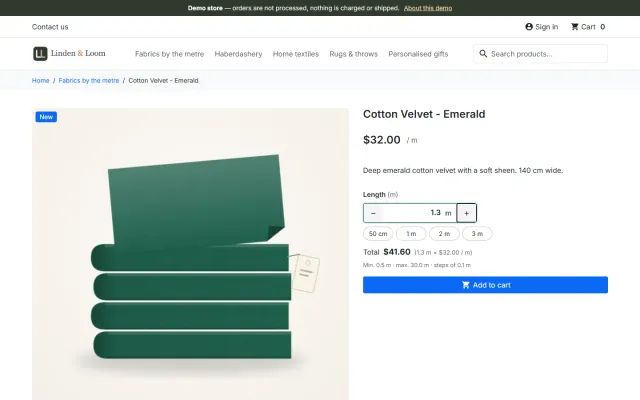
Sell by Weight & Length
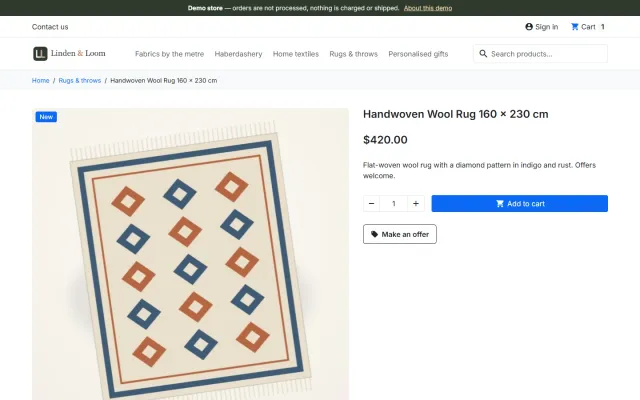
Amounts like 1.25 kg or 2.40 m with quick amounts, a live total, exact decimal stock and real shipping weight.
Platforms
 CS-CartAdd-ons and themes for CS-Cart and Multi-Vendor
 OpenCartExtensions and themes for OpenCart 4 and 3
 WooCommercePlugins and themes for WooCommerce
 PrestaShopModules and themes for PrestaShop 8.2 and 9
 ShopifyApps with a free plan
Stores
PrestaShop guide · Abandoned Cart Recovery
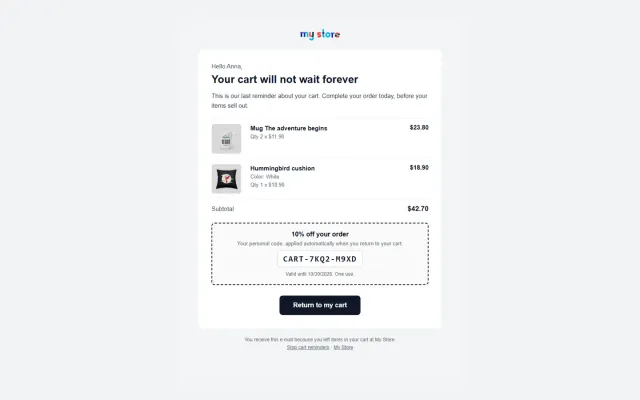
Up to three automatic reminder e-mails, unique single-use vouchers and a secure restore link that rebuilds the cart on any device. A dashboard in Orders > Abandoned carts shows how many carts came back and how much revenue the reminders recovered.

The problem
PrestaShop lists carts, but it does not contact the shopper. Following up by hand does not scale, and the back-office "recover cart" link signs the customer in, which is not something to send by e-mail.
Recovery works when the first reminder arrives while the shopper still remembers the cart, and a voucher comes only later.
Abandoned Cart Recovery for PrestaShop
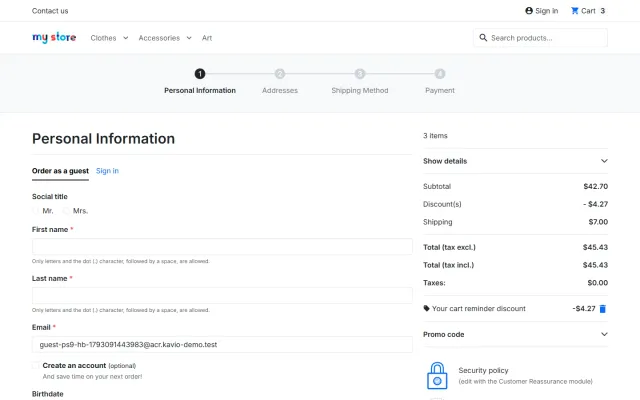
Signed-in customers when they add a product, guests once they type an e-mail at checkout (also the 9.2 one-page checkout), with an opt-out or opt-in reminder checkbox.
Up to three e-mails (default 1 hour, 24 hours and 72 hours after the last cart change), each with its own subject and message; a unique voucher where you want one.
The signed link brings back products, combinations, quantities and customizations and applies the voucher. Orders are linked to the reminder that won them back.
Core cart rules: percentage, fixed amount or free shipping, valid for N days; unused ones are deleted after they expire.
Signed, it fills only the cart of the browser that opens it; it never signs anybody in or copies an address.
Recovered revenue, a daily chart, per-reminder performance and the most abandoned products.
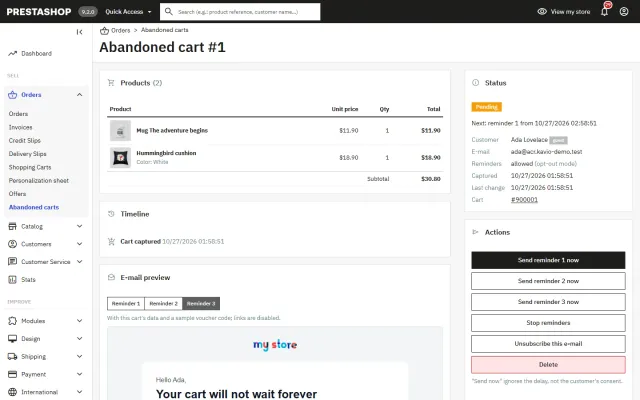
Cart list with filters, cart timeline, e-mail preview, test e-mail and "Send reminder now".
Unsubscribe link and one-click List-Unsubscribe header, retention, erase by e-mail, and the official GDPR module’s requests.
PrestaShop 8.2 and 9.x in one package, Classic and Hummingbird, multistore settings per shop.
Abandoned Cart Recovery for PrestaShop
PrestaShop keeps carts in the database but does nothing with them. This module e-mails shoppers who leave products behind and brings them back to a ready checkout in one click. It uses core cart rules and the core mail system, Symfony Mailer on 9 and SwiftMailer on 8, with hooks only.
Orders, Abandoned carts shows abandoned value, recovered orders and revenue, restore rate, conversion, a daily chart, the performance of each reminder, and the most abandoned products. The cart list has filters and bulk actions, and each cart has a timeline, e-mail preview, send now and test e-mail.
Each voucher is a single-use PrestaShop cart rule in Catalog, Discounts, as a percentage, fixed amount or free shipping, and it is cleaned up after expiry. By default, only reminder 3 has one, at 10% and valid for 3 days.
| Setting | Default |
|---|---|
| Capture guest carts | Yes |
| Minimum cart value | 0 |
| Stop reminding after | 30 days |
| Recovered window | 7 days |
| Restore link opens | The checkout |
Consent is opt-out or opt-in, with a checkbox at checkout and in the account. Every e-mail has an unsubscribe link and one-click unsubscribe in the mail client. There is a retention period, erase by e-mail, official GDPR module support, and no IP addresses are stored.
Sending uses a cron address with a secret token, with no webservice key, or back-office page views. Multistore settings work per shop, group or all shops, and the reminder run reads the settings of each cart’s own shop.
| Marketing platform | This module | |
|---|---|---|
| Single-use cart rules | Via a connector | Built in |
| Restore cart on any device | Depends | Built in |
| Shopper data | With the provider | In your shop |
| Wider campaigns | Yes | No, cart reminders only |
| Monthly fee | Usually | No |
Keep the first reminder free of discounts, so you do not teach customers to wait. A voucher in the last message protects margin. With Make an Offer, vouchers do not stack on the agreed price. Get Abandoned Cart Recovery on the store, or see the EU Seller Pack and store kits on the packages page.
Reminders are only worth sending if they land in the inbox. Use SMTP with your domain’s sender records in place, rather than the PHP mail function. Send yourself a test, and check how it looks on a phone, since most cart reminders are read there.
Review the per-reminder table after a month. If the third message recovers almost nothing, shorten the sequence. Look at the most abandoned products too: the same items showing up again often point to a shipping or price problem that no e-mail will fix.
One package for PrestaShop 8.2 and 9.x, on Classic and Hummingbird, standard and one-page checkout. No overrides. It works next to Sell by Weight & Length, Product Personalizer and Make an Offer.
Keep the first message short: your items are saved, here is the link. The second can answer the likely objection, such as delivery cost or returns. The last can carry the voucher and a clear end date. Subject, heading and message can be set per reminder, with first name, last name and shop as placeholders.
With three messages at 1, 24 and 72 hours, a shopper hears from you within three days and then not again, which respects their inbox.
PrestaShop
Up to three reminder e-mails with single-use vouchers and a signed restore link that rebuilds the cart on any device; consent checkbox, unsubscribe and a…
PrestaShop
The most requested products on this platform. Each one has its own page, and you can buy it straight on the sales site.
Amounts like 1.25 kg or 2.40 m with quick amounts, a live total, exact decimal stock and real shipping weight.
A Make an offer button with negotiation rounds; the agreed price is a specific price bound to one cart.
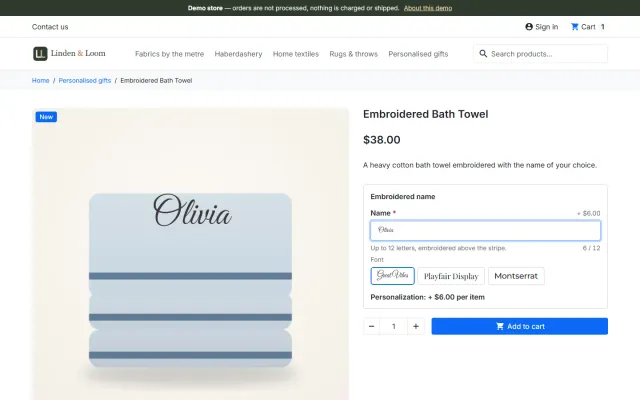
Names, dates and initials previewed on the product image, with fees checked on the server and a production sheet.
Factur-X/ZUGFeRD, XRechnung and Peppol BIS 3.0 e-invoices with your PrestaShop invoice numbers.
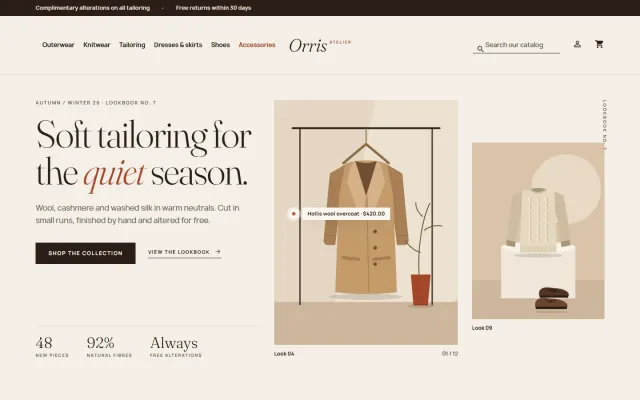
A lookbook-style fashion theme for Classic-based shops, with colour swatches, size chips and four presets.
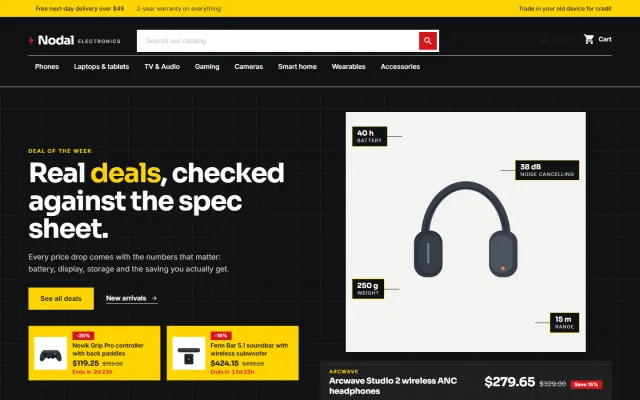
A deal-first child theme of Classic for gadget stores, with spec cards, countdowns and four presets.
Prices, licences, full documentation and instant downloads are on the store.
prestashop.kaviolabs.com · 14 modules · 11 themes
Abandoned cart recovery
Built natively for each platform, not ported. Each version has its own product page, documentation and price.

CS-Cart
Up to three reminders, single-use coupons, one-click cart restore and recovered revenue per reminder.
Up to three reminders, single-use coupons, a restore link and a recovered-revenue dashboard.
FAQ
Carts of signed-in customers as soon as they add a product, and guest carts once the shopper types an e-mail at checkout and did not untick the box.
No. Products bought at an accepted offer price are left out of the voucher.
Yes. Send a test e-mail from the configuration page or any cart page; it uses a sample voucher code and records nothing.
No. Hooks and PrestaShop’s own cart rules and mail system, on 8.2 and 9.x.
Yes. Settings work per shop, group or all shops, and each cart uses its own shop’s settings.
Each e-mail with a voucher gets its own single-use cart rule, cleaned up after expiry.
Opt-out or opt-in, with a checkbox at checkout and in the customer account.
It is recommended. There is a cron address with a secret token, or sending can run on back-office page views.
The product page has screenshots, the full documentation and the changelog.
Kavio Labs
The same standards, the same support desk and one licence portal on every platform we build for.