Sell by Measure
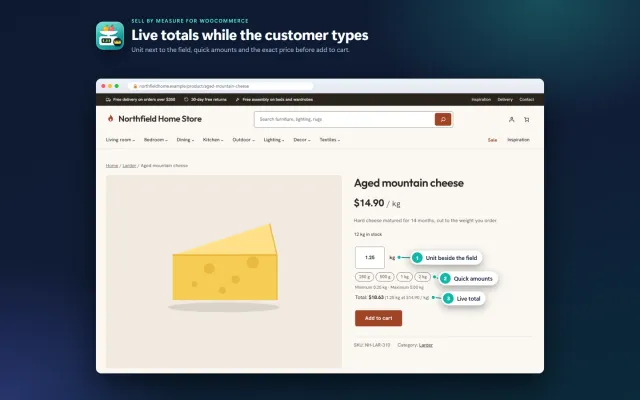
Decimal quantities like 1.25 kg, quick amounts, length × width and exact decimal stock, with the block checkout.
Platforms
 CS-CartAdd-ons and themes for CS-Cart and Multi-Vendor
 OpenCartExtensions and themes for OpenCart 4 and 3
 WooCommercePlugins and themes for WooCommerce
 PrestaShopModules and themes for PrestaShop 8.2 and 9
 ShopifyApps with a free plan
Stores
WooCommerce theme · Pantry
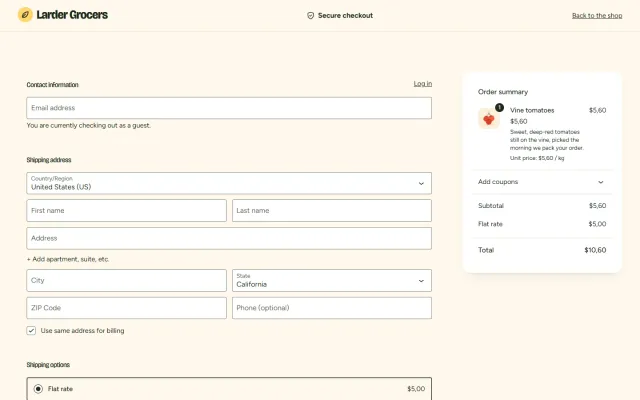
Pantry is a fresh, friendly block theme for grocery, farm shop, bakery, deli and food-delivery stores. A weekly-box hero, round aisle tiles, add-to-basket cards with unit prices, a delivery-steps band and a calm checkout, in four styles. With Sell by Measure the product page, cards, cart and checkout show prices per kg, quick amounts and live totals in the theme’s own look.


The problem
A grocery shop is repeat buying: shoppers want to find the aisle, add a few items quickly and see what the basket costs. A general theme is built to show a few products at length.
Food is priced per kilo, per litre or per 250 g. If the unit price is not visible, shoppers cannot compare and do not trust the total.
Pantry: Grocery & Food Store Theme for WooCommerce
Upload the zip in Appearance > Themes, activate Pantry and choose Market, Greenhouse, Citrus or Deli in Appearance > Editor > Styles.
One click creates Larder Grocers: 30 products in 6 aisles, 16 reviews, four pages and three recipe posts. Eight products are set up for selling by weight when Sell by Measure is active. One click removes it.
Templates, patterns, colours and fonts are editable in Appearance > Editor. Change the weekly box, the aisle bubbles or the deals without code.
A promise bar, logo, product search, delivery-slots link, account, mini cart and an aisle navigation with a Deals pill. The header stays in view while scrolling on larger screens.
A weekly-box hero with two aisle panels, Shop by aisle bubbles, this week’s deals, bestsellers, a fresh-in-three-steps band, reviews and recipes, all as patterns.
Product filters for price, dietary tags, rating and availability, sorting and a four-column grid with Local, Organic and Vegan stickers.
Gallery, tags, price per unit, add to cart, a fresh-promise strip, tabs for description, details and reviews, and related products.
With Sell by Measure for WooCommerce the theme styles the quantity box, quick-amount buttons, live total, unit price and the cart line. Pantry does not depend on it.
Market, Greenhouse, Citrus and Deli all meet WCAG AA contrast. Bricolage Grotesque and Figtree are served from your own site.
Pantry: Grocery & Food Store Theme for WooCommerce
Grocery shoppers do not browse like fashion shoppers. They fill a basket from a mental list, compare unit prices, and want to know when it arrives. Pantry is built for grocery stores, farm shops and bakeries: a weekly-box hero, round aisle tiles, add-to-basket cards with unit prices, delivery steps and a calm checkout.
Tag stickers above the title show Organic, Local, Vegan or Gluten-free, and the same tags drive the dietary filter in the shop sidebar, so one label does both jobs.
WooCommerce sells whole items by default, and a deli, butcher or bulk food store cannot live with that. With Sell by Measure active, measured products show "$5.60 / kg" on cards, a quantity box with the unit, quick-amount buttons, a live total and Unit price in the cart. Pantry styles all of this, with no template changes. You can sell cheese by the gram, tomatoes by the kilo and coffee by the 250 g. The theme does not depend on the plugin; the Pantry Store Kit bundles the two.
Deals, Bestsellers and Fresh in are Product Collection blocks, using on sale, popularity and newest. Recipes shows your latest three posts, and recipes also give you a natural reason to publish content that ranks in search.
The header has a delivery-slots link, but the theme does not book slots. That needs a separate delivery plugin, or a page describing your rounds.
| General theme | Pantry | |
|---|---|---|
| Aisle navigation | Build it | Included |
| Unit prices on cards | Custom work | With Sell by Measure |
| Dietary filter from tags | Custom work | Included |
| Delivery steps band | Build it | Included |
| Delivery slot booking | Needs a plugin | Needs a plugin |
Pantry suits small and mid-sized food stores. Very large grocers with thousands of SKUs and slot logistics usually need custom work on any platform. Also available on OpenCart and PrestaShop. Get Pantry on the store.
WordPress 6.7 or newer, WooCommerce 10.1 to 11.2, PHP 7.4 to 8.3. Neutral to HPOS, Cart and Checkout blocks styled, no external requests, self-hosted fonts.
Food has more legal and practical detail than most sectors. Sort these out before launch.
For repeat business, make reordering simple. Regular grocery customers buy much the same basket each time, and anything that shortens the second order matters more than a new home page banner.
For search, local terms matter: "organic vegetable box in Bristol" is a better target than "buy vegetables" for a small store. Recipes bring in steady traffic and give you a natural place to link to ingredients.
Photography can be simple, as long as it is honest: real produce, consistent light and accurate pack sizes. Show a pack next to something familiar when the size is hard to judge.
A theme change touches every page, so work on a staging copy first. Your licence covers a subdomain of your store.
Because everything is built from blocks and patterns, there is no page builder to keep updated, and your content stays yours if you change theme later.
WooCommerce
Fresh, friendly block theme for grocery, farm shop and bakery stores: a weekly-box hero, round Shop by aisle tiles, add-to-basket product cards with unit…
WooCommerce
The most requested products on this platform. Each one has its own page, and you can buy it straight on the sales site.
Decimal quantities like 1.25 kg, quick amounts, length × width and exact decimal stock, with the block checkout.
XRechnung, ZUGFeRD/Factur-X and Peppol BIS 3.0 from every order, created on your own server.
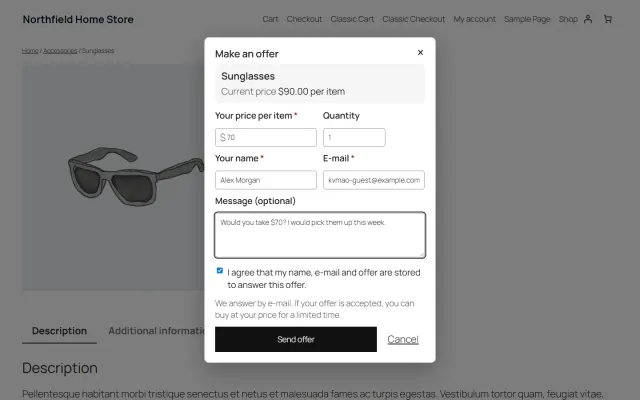
A Make an offer dialog with counter-offers and hidden rules; the agreed price is enforced only in that shopper’s cart.
Year, make and model search, My Garage, a fit badge on every product and CSV import for large fitment files.
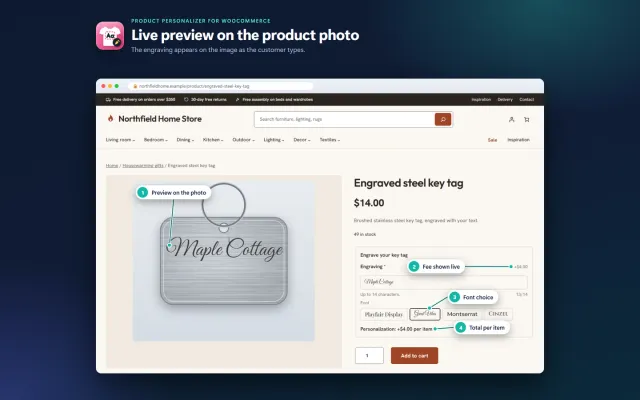
Names, dates and monograms previewed on the product image, with server-checked fees and the block checkout.
A classic, conversion-first block theme for parts stores, with a garage finder, a fit check on every product and four styles.
Prices, licences, full documentation and instant downloads are on the store.
woocommerce.kaviolabs.com · 7 plugins · 11 themes
FAQ
No. Pantry is a complete food-store theme on its own. With Sell by Measure for WooCommerce you can sell cheese by the gram or tomatoes by the kilo, styled to match.
Yes. Replace the demo content and edit the patterns; the header, filters, product grid and product page are generic.
Pantry is designed for the WooCommerce Cart and Checkout blocks, which are the WooCommerce default.
WooCommerce 10.1 to 11.2 on WordPress 6.7 or newer, with PHP 7.4 to 8.3. It is a block theme, so full site editing is part of it.
The store keeps working. Templates, patterns and styles stay and the admin is never blocked; updates, the demo importer and the sticky-header polish need a valid licence.
From WooCommerce product tags. Without tags, the row above the title stays empty.
Yes. Templates and styles are general, and the demo content and home sections are editable.
No. The theme shows delivery information. Slot booking needs a separate plugin.
The product page has screenshots of every style, the full documentation and the changelog.
Kavio Labs
The same standards, the same support desk and one licence portal on every platform we build for.